A typical new visitor to your website will determine whether to stay or leave within the first 15 seconds. Since the web got infinite alternatives to your site, it’s crucial that you immediately instill a sense of trust.
So without further ado, here’s 10, 16 ways to make your site seem more trustworthy at first glance.
1) Invest In Design

An aesthetically pleasing site will show the visitor that you’re serious and didn’t just hack something together in the dark hours of the night.
A well-designed site (not to confuse with over-designed) shows that you’ve spent time and money on it, instilling trust.
2) Show A Pulse

It’s important to show new visitors that the content they’re seeing isn’t on some old abandoned site left for the eternal Internet archive.
Display some recently updated content (with a date) to show that your site is up to date. Having a blog or an embedded Twitter feed are great ways to show your site and people behind it are still active.
3) Humanize Your Website

People don’t trust a website - they trust the people / brand behind the website. That’s why you should use real images of you and your team. This way people can see that a real person is behind your site, and not some robot. It humanizes your website.
You can take this a step further by using videos to present you, your team, or your products.
4) Utilize Social Proof

Social proof – showing that other people use and trust your site – is a very important factor in establishing trust, as it’s deeply rooted in human beings to look at how others behave and then mimic it.
Social proof can be as simple as having a Facebook fans / Twitter followers / RSS subscribers counter or user comments on your site. Alternatively, you can also use more detailed and in-depth “proof” such as customer case studies or video testimonials.
5) Make It Speedy

Slow loading sites tend to come across as less serious, degrading the trust relationship.
It doesn’t really matter why your site is slow, 47% of all web visitors expect your site to load in 2 seconds or less. You can, however, cheat by speeding up the perceived load time.
6) Familiarity Breeds Trust

New visitors will feel familiar with your site much faster if it’s easy to use.
A well-structured site tapping into the most common web conventions goes a long way in making your visitors feel familiar with (and thus in control of) your site.
7) Leverage Other Brands

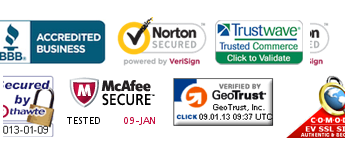
Partner logos, services you use, trade organizations you’re affiliated with, places you’ve been reviewed, site seals, etc. – it’s all good ways to leverage the brand power of other organizations. Affiliating yourself with these brands shows you’re in good company, suggesting that the visitor will be in good company with you too.
This is why you often see sites boast “Seen in New York Times” and so on – even if the actual mention had negative elements. If you sell something and don’t have any other brands to tap into then simply showing the logos of credit cards you accept on your site is better than nothing.
8) Who Are You?

A good about page is a great way to quickly instill trust in new visitors curious about your site.
Make the visitor feel she knows you and your site better and send her to the primary content on your site – content she is likely to be interested in.
9) Don’t Hide

On the Internet anyone can be anonymous. Don’t be. Displaying your real address tells the visitor you have nothing to hide. Furthermore, if the visitor knows the place, you’ve got something in common too.
If you live in a more obscure place and cater to an international audience, then consider showing your address on a map. Actually showing your address on a map makes an otherwise unrecognizable address seem more trustworthy, as the user can literally see the place exists.
10) Proofread

Obvious grammatical and spelling errors on your site will immediately tell the visitor that you aren’t taking his time serious – a bad start for establishing trust.
In our experience, grammatical and spelling errors are more forgivable on informal channels such as your blog, Twitter account, Facebook page, etc – part of the appeal is that the content hasn’t gone through multiple layers of marketing teams, copywriting, proofreading, etc. On your more formal channels and all static pages hiring a proofreader can be a good idea and easily worth the cost.
11) Suggestions?
Do you know other ways to make a site seem more trustworthy at first glance? Then share them in a comment.