Payment UX: Research-Backed Standards for Ecommerce Checkouts
The payment step is the highest-anxiety moment in checkout. Here are the research-backed UX standards that keep users moving toward purchase.
What if I need to return the item? Will my card work? Is this definitely the final total I’ll pay? Are my details secure here?
By the time a user reaches the payment step on your site, they've already decided to buy. There’s often that moment of hesitation, though, and the UX challenge at this point isn't conversion — it's instilling confidence.
A payment form that feels unclear, untrustworthy, or hard to recover from when something goes wrong will lose users who were ready to complete. Strong checkout payment design standards and UX prevent cart abandonment from happening at this critical stage.
This guide dives into Baymard’s extensive checkout usability research to uncover the secret to payment UX design standards that give customers the confidence to complete the purchase.
Before the form: Setting up the payment step correctly
Before users even start typing card details, make sure they understand what happens next, what they’re paying, and that they’re still in control. A lot of payment friction is caused by uncertainty before the checkout flow.
Keep the order summary visible
On the payment step, users frequently want to review what they're about to pay for. They're not necessarily reconsidering the purchase; they're making sure the order is right before they commit.
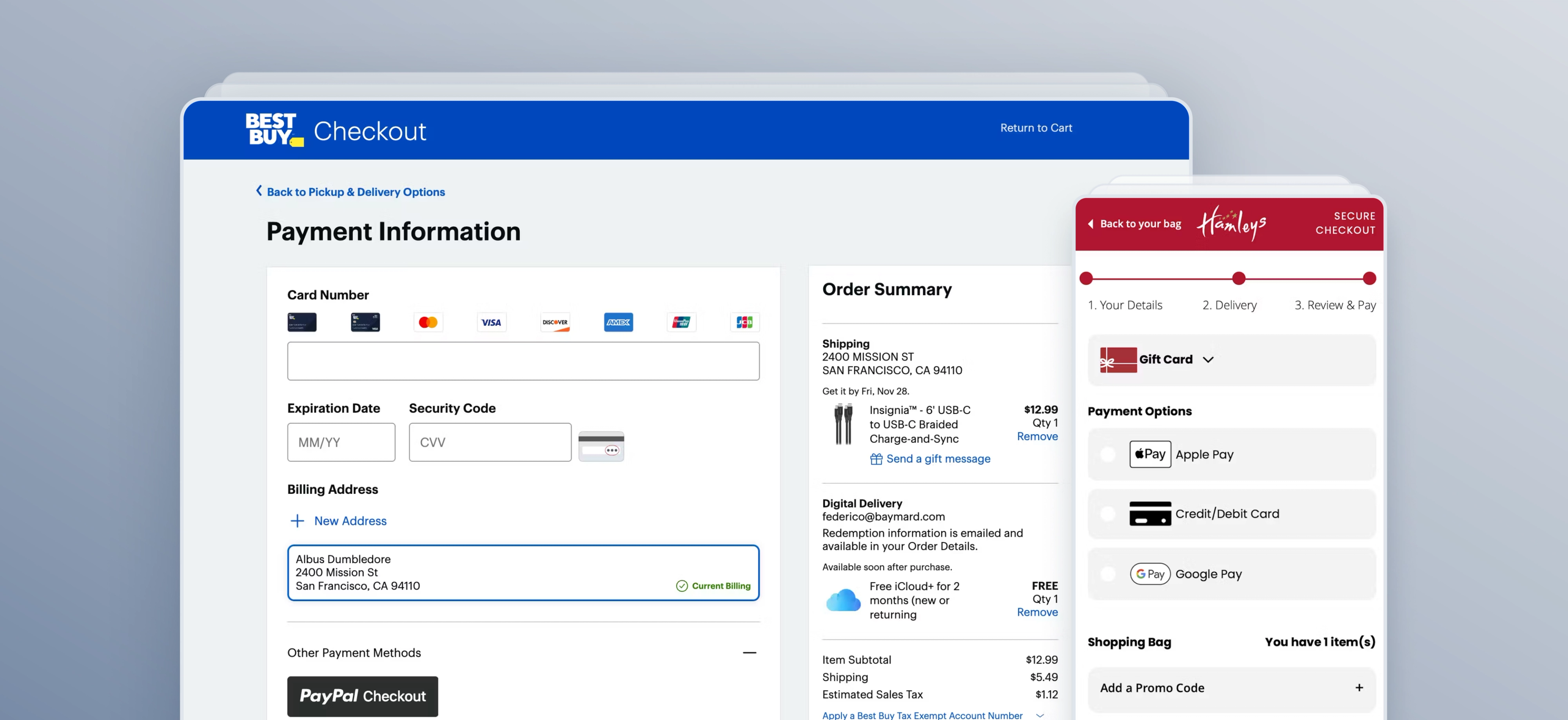
The order summary should be visible on the payment step or easily accessible without leaving the checkout entirely. If users have to navigate back to find it, this introduces unnecessary hesitation and creates a small but real risk of dropout. A collapsed but accessible summary panel (common on mobile) is preferable to hiding it altogether.
If your checkout is multi-step (rather than one-page), include a clear Order Review step after payment information is entered so users don’t worry that entering payment means they’re instantly placing the order. The primary CTA button at payment should say exactly what happens next — for example, “Continue to Review” instead of a vague “Continue”.
Show the final total before the payment fields
The complete order total — inclusive of all shipping costs, taxes, and fees — must be visible before users are asked to enter payment details.
This is distinct from showing the order summary. Any uncertainty about whether the displayed amount is the actual charge creates hesitation at exactly the wrong moment.
This sounds obvious, but it's a surprisingly common failure: a cost that appears for the first time at the payment step, however small, triggers reconsideration. A Baymard survey found that 12% of US shoppers had abandoned an order because they couldn’t see the total order cost upfront.
Remove distractions
Don’t clutter the payment step with distractions. The payment step should be free of promotional banners, newsletter sign-ups, and navigation links. Any element that pulls a user's attention away from completing the transaction is a risk. The checkout is not a merchandising surface.
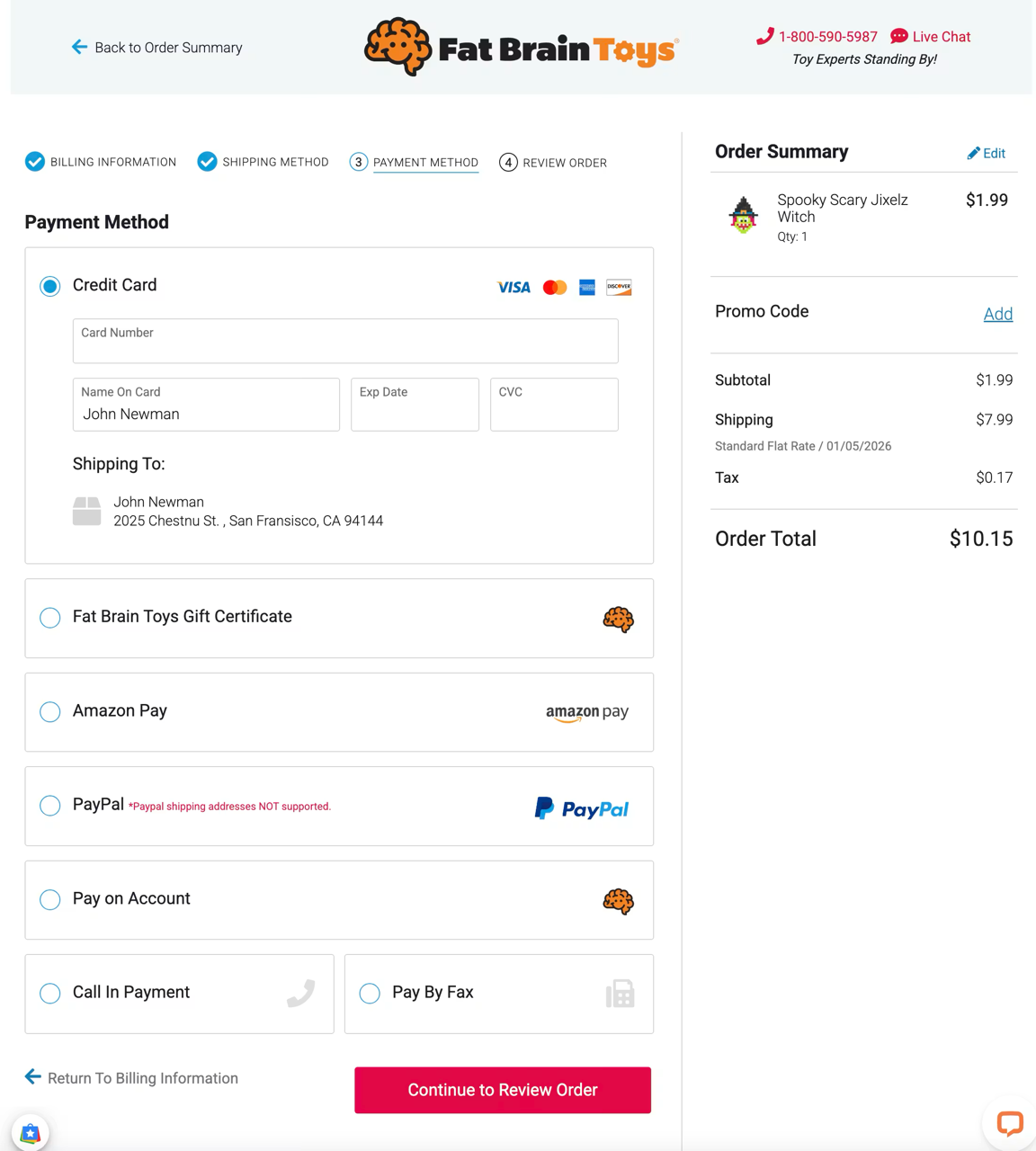
Hidden coupon fields (like the example above, where the field is collapsed by default) are better than exposed ones, because visible promo fields tempt users to leave checkout and hunt for codes elsewhere. If discounts can be autoapplied, do it. Users consider this beneficial as it provides both convenience and trustworthiness, yet 83% of sites don’t offer it.
Payment method presentation
How payment methods are presented is one of the most consequential areas of payment UX.
“Baymard’s ecommerce UX benchmark reveals that 21% of sites have issues when it comes to offering payment options to users — directly resulting in abandonments as some users won’t want to, or be able to, proceed without their preferred payment method.”

The actual selection of payment method should happen in checkout, in a dedicated payment section. Users need a clear interface that shows available methods, lets them opt in deliberately, and reveals the relevant fields only when needed.
Don't present too many options at once
A long horizontal row of payment method logos — card networks, digital wallets, buy now, pay later (BNPL) providers, bank transfer options — creates visual noise and forces users to scan everything before making a choice.
As the amount of accepted payment methods increases, the selection of a payment method itself can be challenging for some users.
Group methods logically: cards together, digital wallets together, BNPL together. Display the most commonly used methods for your market prominently, and surface less common options behind a "more payment options" link rather than listing everything simultaneously. The goal is to make the most likely choice immediately obvious.
Auto-select the most appropriate method
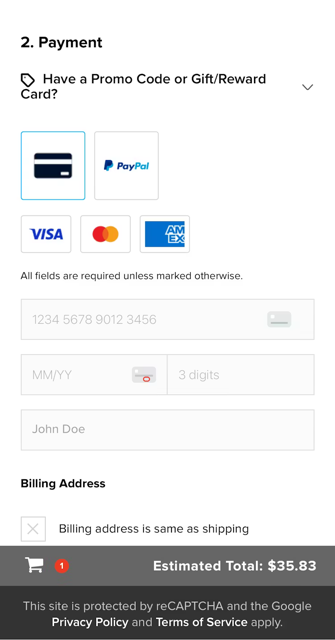
Present payment methods in a way that supports the most likely choice first, while still making alternatives easy to find. In most cases, that means preselecting the most common method — typically credit card — and showing its fields by default. GoPro does this well, as shown in the example above.
Offer third-party payment methods
At the same time, you should always offer at least one third-party payment option. Baymard’s research shows some users will abandon if their preferred option isn’t available, and third-party methods also serve as a fallback when a card fails.
“The benefit of offering an alternate payment method and/or complementary third-party checkout option is that it eliminates a single point of failure in your ecommerce store.”

Third-party payment options such as Apple Pay, Google Pay, and PayPal should appear as distinct, clearly labeled buttons above the card form. But don’t aggressively funnel users into those flows — users need to deliberately opt in, not get redirected unexpectedly.
If a third-party method is selected, update the primary button so users know they’re about to leave your site temporarily. That small copy change prevents a lot of confusion.
Don’t wait until review to reveal payment constraints
If a payment method isn’t available, or financing has important conditions, users need that information before the final review step. New payment-related information introduced late in checkout creates surprise and distrust.
Card form design standards
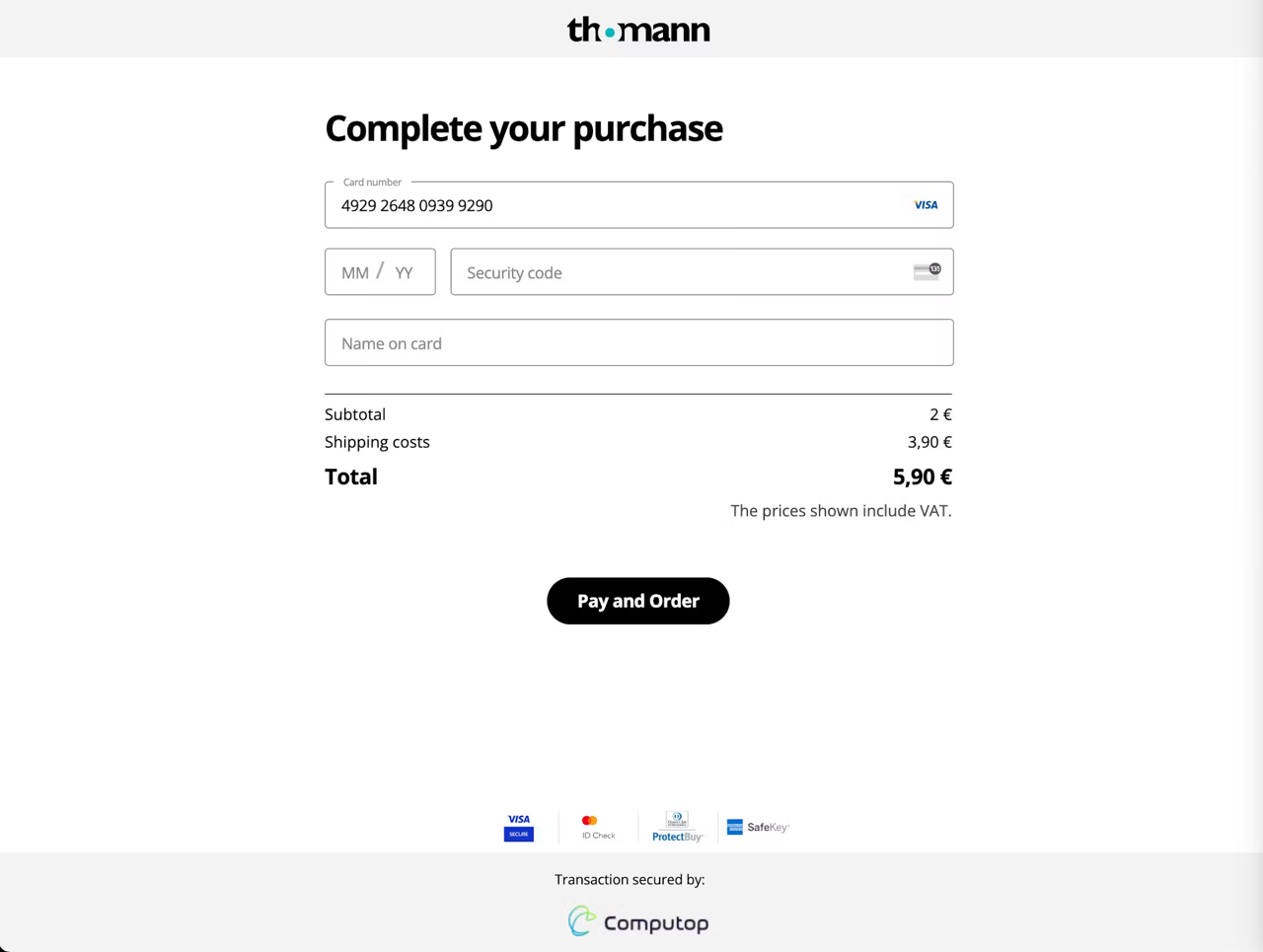
The card form is where many sites still create needless checkout friction. Based on Baymard’s research, you should make the card form match the physical card in the user’s hand as closely as possible.
Here are some ways to do that, backed by usability research:
- Autodetect card type instead of asking users to choose it manually (72% of sites don’t do this)
- Autoformat spaces in the card number as soon as card type is detected
- Use two-digit month and year formatting for expiration dates to align with what users see on their cards (a detail missed by 72% of sites)
- Provide a dynamic tooltip or hint for the security code location
- Validate the card number on the front end with Luhn validation before the full payment submission to catch simple typos early
Trust signals: What works and what doesn't?
Users trust payment steps when the interface is clear, predictable, and transparent. It’s not necessarily about badges and icons (though those can help), but about reducing ambiguity,
Reassurance near the primary button helps, especially when clarifying whether the order is being placed now or later. But the stronger trust builders are:
- Clear next-step labeling
- No surprise redirects
- No hidden costs or late-breaking conditions
- No aggressive promos or financing ambiguity
If you offer financing, summarize the key terms in plain language: payment schedule, interest or fees, and whether credit score is affected. Dense legal copy at the moment of payment undermines confidence.
Error handling at the payment step
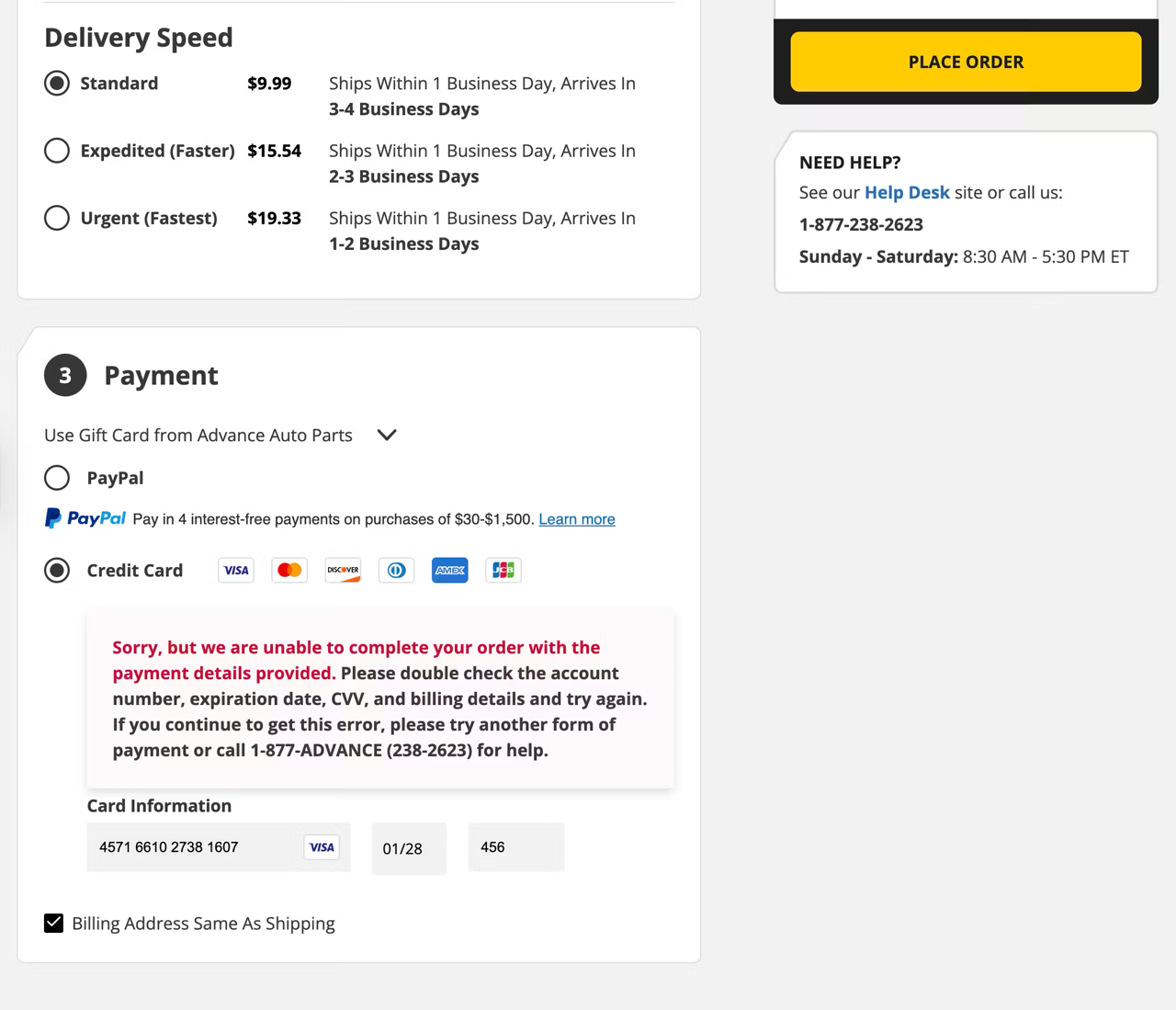
This is the area where poor UX does the most damage. Payment errors have a low recovery rate in testing, so your job is to make recovery almost effortless.
First, validate card payments at the payment step, not after users think they’ve successfully placed the order. Second, never clear entered data when there’s an error — especially card data (34% of sites fail to retain data after a validation error). Clearing sensitive fields after a validation issue was observed as a direct cause of abandonment.
Error handling should also be highly specific. Don’t say “Invalid payment information” if the real issue is “Card number appears incomplete” or “Security code must be 3 digits.” Adaptive, field-specific messages help users recover much faster.
Watch this video to learn more about how to implement this payment form UX best practice properly:
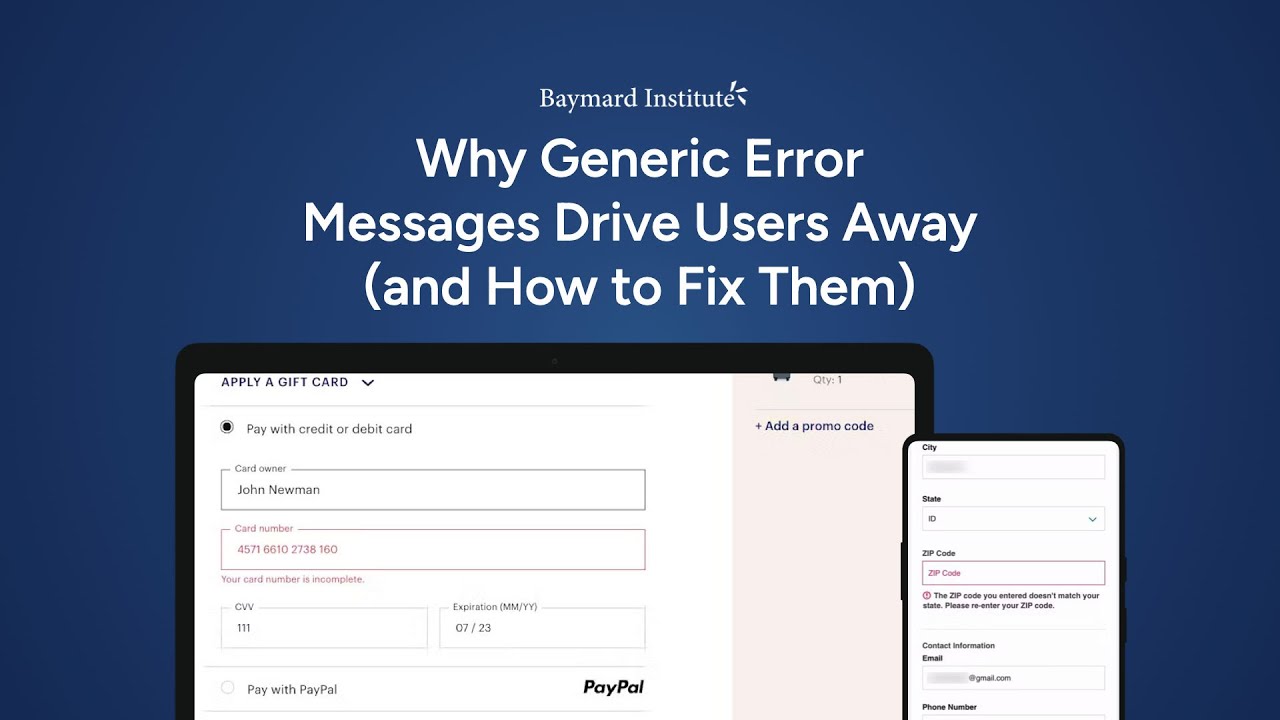
When errors do occur, scroll users directly to the problematic field or show a clear summary if there are multiple issues.
A strong fallback is to keep alternative payment methods available when a card fails. That’s another reason third-party options matter.
Going deeper on payment UX
The standards above address the most consistently observed payment UX failures in Baymard's checkout usability research — the patterns that surface repeatedly across site types, markets, and device contexts.
Baymard’s research library includes detailed, platform-specific guidelines on payment UX and checkout usability, alongside benchmark data showing how 330+ leading ecommerce sites handle each of these decisions.
Weekly UX Research, Insights, and Updates
Join 60,000+ UX professionals. Get the latest UX research, practical guides, and Baymard news delivered to your inbox every week.
Loading...