The Definitive Guide to Ecommerce UX Research & Audits
Ecommerce UX research helps you understand why users face issues. Stop the guesswork, prioritize fixes, and boost conversions using Baymard's framework.
Your analytics show a drop-off. Your heatmaps show users not scrolling. Your A/B test showed a lift — but the next one didn't. Quantitative data is essential for ecommerce optimization, but it only tells you what's happening. UX research tells you why.
Most ecommerce teams have more measurement capability than they've ever had, with things like funnel analytics, session recordings, A/B testing platforms, and behavioral data. And yet the question that's hardest for you to answer stays the same: What's actually wrong, and where should we focus?
Data can tell you if users exit at the payment step. It can't tell you whether they're leaving because of a trust problem, a form error, an unexpected cost, or a payment method that isn't available. That distinction determines what you fix.
This guide covers the research and auditing methods ecommerce teams use to answer the questions their data can't. It's grounded in Baymard's 200,000+ hours of human-led ecommerce UX research — the largest body of ecommerce usability research available — and organized around the decisions you'll actually need to make: Which methods to use, when to use them, and how to turn findings into a roadmap that drives real outcomes.
Here’s what you’ll learn:
- A research-backed UX audit and research framework
- How to decide between in-house and third-party UX auditing
- What good ecommerce UX research looks like
- A checklist to help you know if your UX research practice is fit for purpose
- How to make the business case for UX research investment
- Additional resources to help improve your research and provide a better user experience
1. The standards: A research-backed UX audit and research framework
The terms “UX research” and “UX audit” are often used interchangeably, but they describe different activities with different outputs.
UX research vs. UX auditing — what’s the difference?
UX research is generative. It produces new findings about how users interact with your specific site, through usability testing, cognitive walkthroughs, or interviews. It's the method you use when you need to understand behavior you haven't yet observed or explained.
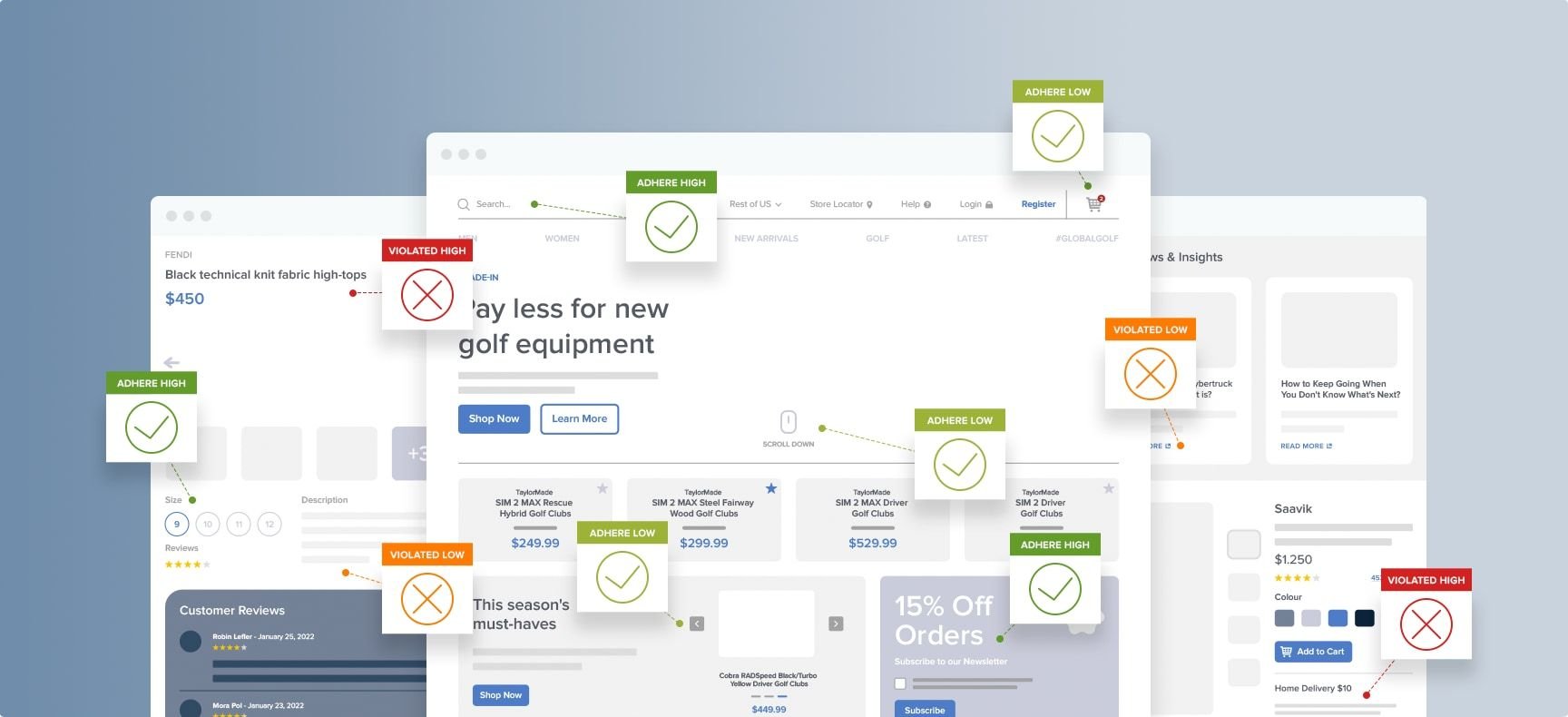
UX auditing is evaluative. It measures your site against established standards and best practices, and tells you whether you meet them. It's the method you use when you need a structured, evidence-backed assessment of where your site currently stands.
Both are necessary, but they answer different questions. Research tells you what users struggle with on your site. Auditing tells you whether your site meets the standards that prevent those struggles in the first place.
In practice, the most effective approach is to start with an audit because it is faster, uses existing research knowledge, and produces a prioritized issue list. You can then use targeted research to investigate the specific issues the audit surfaces.
The core UX research methods for ecommerce
The methods below cover the full toolkit available to ecommerce UX teams. Not all of them will be relevant to every team or every project. Use this section to understand how to choose between them.
Heuristic evaluation
Heuristic evaluation is a structured expert review of a site against a set of established website usability principles. It requires no user recruitment, can be completed in a single day per flow, and is one of the most efficient ways to find standards violations across a site.
Its quality depends entirely on the evaluation framework used; a general framework will find surface-level issues, whereas an in-depth ecommerce-specific framework like Baymard’s will find the issues that actually cost conversion.
Usability testing
Usability testing involves observing real users attempting realistic tasks on your site. It's the highest-validity method available for understanding how and why users struggle with a specific interface.
Observing real-life participants helps to surface the majority of significant issues in qualitative testing. It takes longer to set up than an expert review, but it produces findings that are grounded in observed user behavior rather than judgment.
Cognitive walkthrough
Cognitive walkthrough is a step-by-step evaluation of a user flow, asking “would a first-time user know what to do here?” at each step. It's particularly useful for checkout and form flows, where the user's ability to progress without prior knowledge is the critical success factor. It sits between heuristic evaluation and usability testing in both time investment and validity.
UX audit
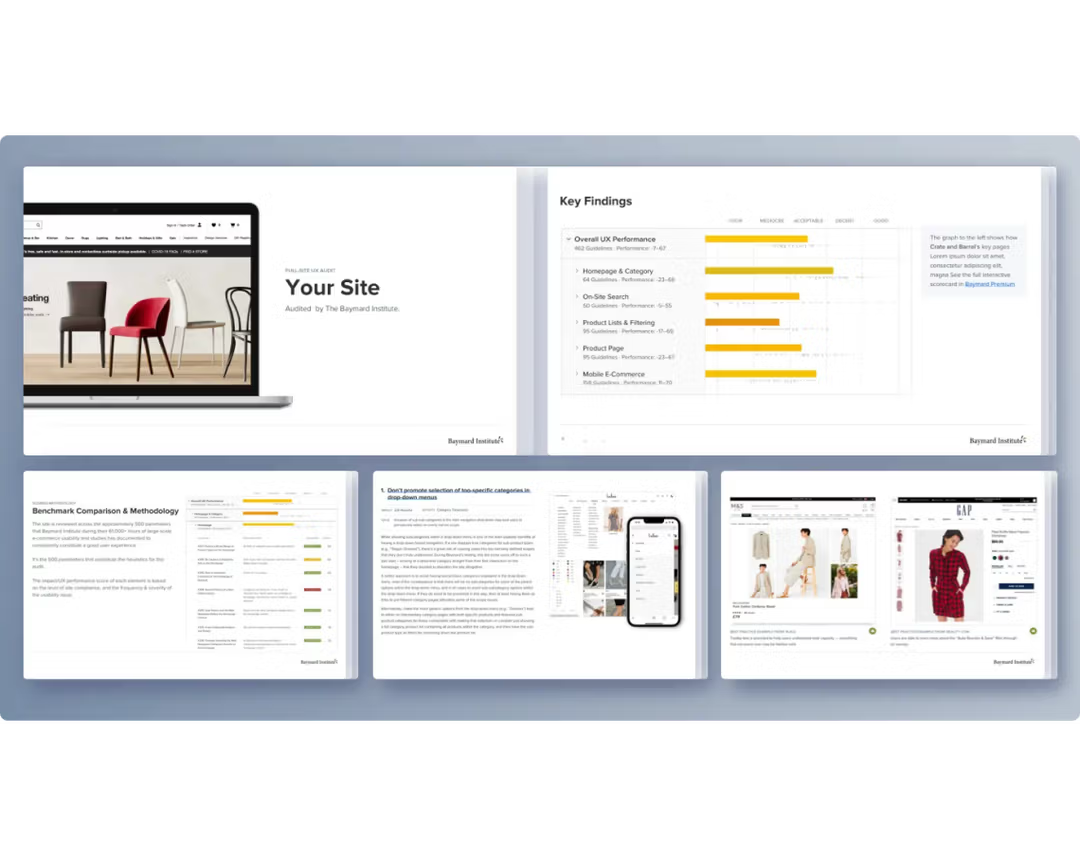
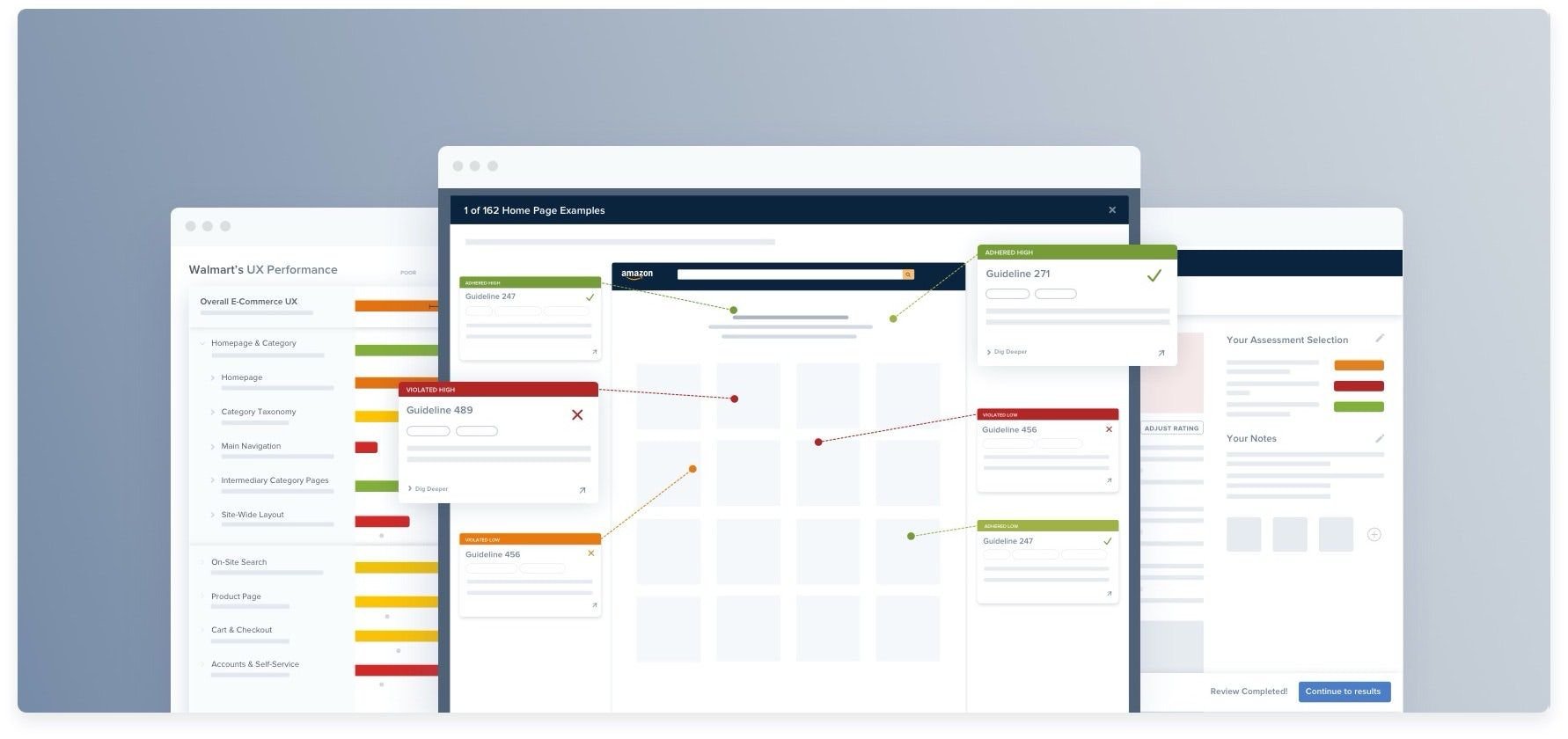
An expert review or UX audit is a comprehensive, structured evaluation against a research-backed checklist, typically covering multiple page types and flows in a single engagement. It gives broader coverage than a heuristic evaluation of a single flow, and more consistent documentation than an ad-hoc review. The output is a prioritized issue list with severity ratings. This can then be used to inform a future roadmap of design and development work.
How to choose the right method
The right method depends on the question you're trying to answer.
If you need to know whether your checkout meets established UX standards, run a heuristic evaluation or UX audit. If you need to know why users are abandoning at a specific step, run usability testing. If you need to know how your site compares to the industry, run a benchmark review.
Using the wrong method for your question produces findings that are interesting but not actionable; this is the most common and most costly UX research mistake.
For most ecommerce teams, the practical starting point is an annual full-site UX audit as a baseline. This establishes where your site stands against established standards, produces a prioritized issue list, and identifies the areas that warrant deeper investigation through usability testing. Usability testing is then used to investigate specific high-priority issues the audit surfaces — not to canvas the entire site from scratch.
Time and resources are real constraints. An expert review of a checkout flow can be completed in a day. A moderated usability test requires recruitment, scheduling, and analysis — typically a two-to-three week cycle from briefing to findings. Both are worth doing; neither should be used as a substitute for the other.
“Usability testing, even with a minuscule number of test participants, can be such a healthy exercise for design teams: it’s effectively a shortcut to putting yourself in the user’s shoes. This allows you to uncover behaviors and problems that you’d never think of because the behavior is foreign to us.”

What makes ecommerce UX research different?
Ecommerce UX research operates in a more structured context than most other digital product research. The user journey is defined: Browse, find, evaluate, add to cart, check out, confirm.
Each stage has documented patterns, established standards, and known failure points. That structure makes ecommerce one of the most favorable contexts for research; you know which flows to test, which standards to evaluate against, and where the conversion impact of a given issue is likely to be highest.
In most digital product contexts, UX improvements produce qualitative benefits, such as:
- Improved ease of use
- Increased satisfaction
- Higher perceived quality
In ecommerce, the same improvements produce measurable conversion outcomes. A checkout UX fix that reduces abandonment by two percentage points can be tied to an actual revenue figure. That makes the case for research investment easier to build and easier to validate.
Baymard's research covers 40+ ecommerce industries — from fashion and footwear to electronics, home furnishings, and B2B — giving an evidence base broad enough to account for category-specific patterns rather than applying a single ecommerce template to every site.
In-house vs. third-party UX auditing — which is best?
You may wonder whether it’s best to run a UX audit internally or if it’s better to get an external perspective. Both approaches can produce excellent results.
The right choice depends on your team's expertise, the scope of the audit, and what you plan to do with the findings.
The pros and cons of in-house UX auditing
In-house audits work well when your team includes experienced UX researchers or designers who are familiar with structured audit frameworks, when the audit is scoped to a specific area you know well, and when speed and iteration matter. That’s because in-house teams can often move findings into the backlog faster than external teams can.
The most important requirement for a rigorous in-house audit is access to a research-backed evaluation framework. Without one, an in-house review tends to become an opinion exercise — experienced practitioners identifying the issues they've noticed before, rather than systematically checking the site against an established standard. The issues they've noticed before are rarely the highest-impact ones.
Furthermore, there are two clear limitations worth being honest about.
First, familiarity blindness: Teams that have worked closely on a site for months stop seeing what new users see. The interaction pattern that feels intuitive to you and your team may be genuinely confusing to a first-time user, and you have no way to know this without either user research or an external perspective.
Second, internal pressure. Findings that implicate recent design decisions can be uncomfortable to rate at their true severity. An external audit removes that dynamic.
The pros and cons of third-party UX auditing
Third-party audits are particularly well-suited to four situations:
- When you need an independent, credible assessment to validate what you already know and support a business case
- When you're preparing for or evaluating a significant redesign
- When your team doesn't have the depth of UX research expertise to run a rigorous audit in-house
- When you need findings benchmarked against your industry rather than just evaluated against internal standards
External auditors bring a fresh perspective that in-house teams can't replicate, and they typically bring a more comprehensive evaluation framework, built from research across many sites rather than experience with a single one.
The combination of external perspective and research-backed standards is what makes a third-party audit valuable in the contexts above.
What to expect from a Baymard UX Audit
Find out more about Baymard's expert UX audit service. Justify UX decisions, uncover your top conversion opportunities, and benchmark your site against competitors.
There are a couple of limitations that are worth acknowledging.
External auditors don't have the institutional context your team has. They won't know about known issues, legacy constraints, or planned changes; briefing time is a real cost, and the quality of the briefing affects the quality of the findings.
The second limitation is that a third-party audit produces findings; it doesn't implement fixes. The value of the engagement depends entirely on whether your team has the capacity and ability to act on what the audit surfaces.
The benefits of a hybrid approach
Many teams get the best results from a combination of these two approaches. For example, running in-house audits for ongoing, iterative reviews of specific flows, supplemented by a third-party audit every one or two years for an independent full-site assessment.
The in-house team maintains momentum between cycles; the external audit provides the independent baseline and benchmark that the in-house review can't produce on its own.
Baymard offers this middle path for teams who want the rigor of a research-backed evaluation framework without the cost of a full external audit. Access to 700+ ecommerce-specific guidelines and benchmark data across 330+ sites gives your in-house team the same structured evaluation standard that would otherwise require external expertise, so that when you do audit in-house, you’re measuring against established best practices rather than gut feel.
Transform your UX with an expert-led audit
Discover the top industry-specific UX improvements for your site and benchmark your UX against industry leaders and competitors today!
2: What good ecommerce UX research looks like
Good UX research eliminates guesswork and protects conversions, but its true value lies in how findings are translated into the website-specific context. For resource-constrained teams, an impactful research methodology consists of an in-depth analysis and heuristic evaluation spanning the entire customer journey, from initial arrival through checkout and account management.
According to Gráinne Edwards, a senior UX auditor at Baymard, thorough research clarifies what has the most impact on real shoppers:
“It could be a very harmful issue that stops users in their tracks and potentially results in them abandoning the website, a disruption or something that'll slow down the user, right through to something that might be a quick win for you to fix.”
This structured approach changes what teams build by providing specific recommendations in an extensive report.
True objectivity here relies on large-scale testing protocols rather than individual opinions. For example, the benchmarks used by Baymard’s auditors are built on over 200,000 hours of UX research, tracking real users across thousands of 1:1 moderated “Think Aloud” test sessions.
When users are tasked with everyday shopping behaviors like looking for a specific accessory, updating their account details, or evaluating a product layout, the sheer volume of friction points becomes clear. Large-scale behavioral data shows that even on major ecommerce sites, basic tasks frequently trigger severe design flaws:
- Search abandonment: Up to 31% of shoppers abandon a site entirely out of sheer frustration when they can't find an item via on-site search.
- Query iteration: Around 65% of users require multiple attempts to find what they need, often typing three to four different query iterations just for basic products.
- Navigation failure: When testing standard homepage and category navigation, task completion rates can plummet to as low as 10-30% for common items due to confusing layout hierarchies.
Good UX research uncovers these patterns and issues and helps you prioritize the fixes. Alongside hundreds of research-backed best practice guidelines, Baymard also offers a UX audit service to bring a subjective, unbiased perspective to your research.
Rather than relying on gut feel, you receive actionable insights and concrete visual examples that back up internal customer data.
Aligning your site against verified design patterns distilled from tens of thousands of documented usability issues gives your team the ultimate competitive edge. This objective proof ultimately helps secure critical stakeholder buy-in and prioritizes exactly where to start your optimization.
Baymard’s UX research methodology
Discover the methodologies used for Baymard’s 200,000+ hours of large scale ecommerce UX research.
3. How ecommerce teams approach UX research
Most ecommerce teams have analytics and A/B testing in place. These are table stakes. What separates high-performing UX teams from the rest isn't access to data — it's what they do with it.
Fewer teams have a structured UX research practice that makes an impact:
- Regular audit cycles
- A repository of documented findings
- Usability testing that feeds directly into roadmap decisions.
The gap between “we do user research” and “we have a systematic research practice” is where most ecommerce UX value is left unrealized.
A team that runs one usability test before a major launch, then waits two years for the next, is not a research-informed team. A team that runs a quarterly audit of its highest-traffic flows, feeds findings into sprint planning, and tests significant changes before release is much better informed.
The difference isn't about budget; it's process.
What leading ecommerce sites do differently
High-performing ecommerce UX teams share a set of practices that less mature teams don't.
They run audits before major redesigns (not after)
The most common and most expensive mistake in ecommerce UX is designing a new checkout flow, building it, and then discovering the usability problems through post-launch analytics. A pre-build audit of the existing flow establishes what's broken, what's working, and what should carry forward.
They use research as an input to roadmap prioritization, not a validation step
Teams that treat research as a box to check after decisions have been made get findings they can't act on. Teams that commission research to answer specific open questions before a decision get findings that change what they build.
They maintain a documented record of UX findings over time
Individual studies are useful; a connected research repository or body of findings is more useful.
A checkout issue identified in a usability test 18 months ago that's still in the backlog can be compared against a new benchmark finding. Teams that treat research as episodic lose that institutional knowledge every time a study is completed and filed.
How Baymard's benchmark data works
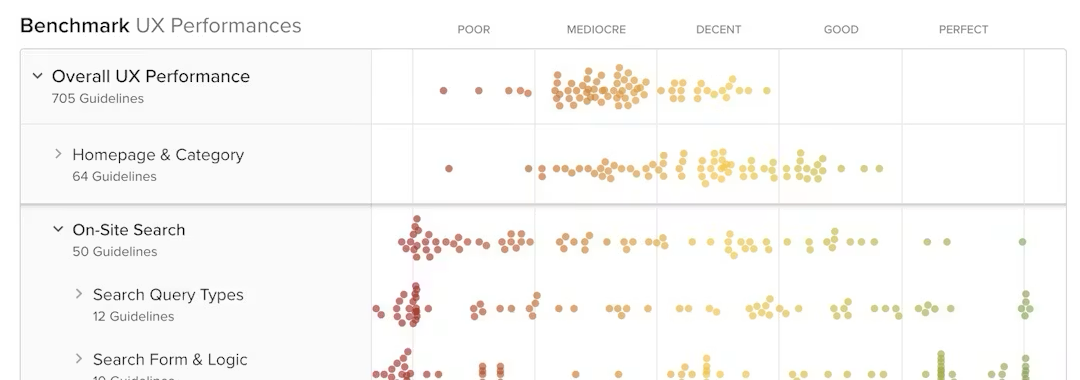
Baymard's UX benchmark covers 330+ leading ecommerce sites, spanning 40+ industries — evaluated against 700+ UX guidelines. Each site is reviewed across seven major experience areas:
- Homepage and navigation
- Product lists and filtering
- On-site search
- Product detail pages
- Checkout
- Customer account
- Mobile (across all of the above themes)
The benchmark gives you two things a standalone audit can't.
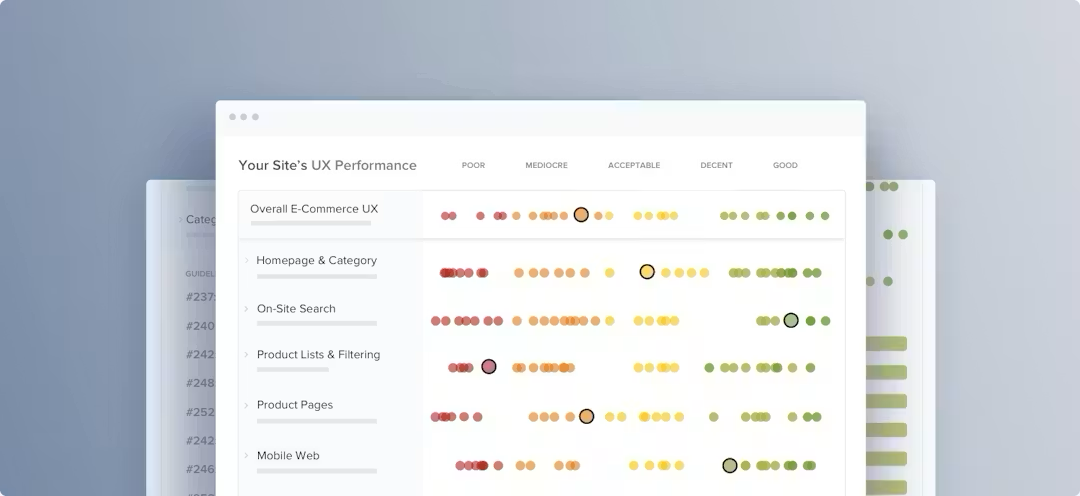
First, a comparison: Not just whether your checkout meets established standards, but how it performs relative to the industry (above median, at median, or below).
Second, a prioritization frame: If you're below median on checkout but above median on search, the benchmark shows where the relative opportunity lies.
The benchmark data is available within Baymard, alongside the guidelines you can use to implement the best practices.
4. ROI & data: The business case for ecommerce UX research
UX research is not a cost center (yet it can sometimes be perceived that way). It's a prioritization tool. The question isn't whether you can afford to invest in structured UX research — it's whether you can afford to keep making product decisions without it.
The cost of skipping research
UX issues that go unfound in research get found by users. They find them by abandoning — at the payment step, on the product page, when a filter they needed isn't available, when a form field rejects their input without telling them why.
Baymard's research shows that the average large-scale ecommerce site can increase its checkout conversion rate by 35% through UX improvements alone — without changing its pricing, its product range, or its marketing. That number represents the gap between a site that meets established UX standards and the industry average. It is, in practical terms, the cost of not running structured UX research.
The gap is recoverable. But it requires knowing where it is — which requires research.
The Hidden Cost of Bad UX
How much revenue is your site losing because of UX friction? Find out what you could recover with Baymard's Opportunity Sizing Calculator.
Research as a prioritization tool
Without structured UX research, teams prioritize by opinion, by recency (the last thing someone complained about), or by HiPPO — the highest-paid person's opinion. These are not reliable signals for where the highest-impact UX problems are. A senior stakeholder's conviction that the homepage hero needs redesigning is not evidence that this is the most valuable place to invest engineering time.
UX research replaces opinion with evidence. “We tested this flow with five users and four of them failed to complete it” is a prioritization argument that opinion can't beat in a well-run product team. “We're below the industry median on product page UX according to Baymard's benchmark” is a competitive framing that gives leadership something concrete to act on.
The ROI calculation is straightforward to build for any ecommerce site. If your checkout converts at X% and your annual checkout revenue is $Y, a 1% point improvement in conversion is worth $Y/X per year.
A UX fix that costs two weeks of engineering time and produces a one-point conversion improvement pays back faster than almost any other engineering investment of that size. The formula matters more than any specific number — build it for your site and bring it into the conversation.
Making the case for a research practice, not just one-off studies
One usability test is useful. A research practice — regular audits, test cycles, and a maintained findings repository — compounds over time.
A finding documented in a usability test 18 months ago is still actionable if it's in a shared, accessible repository. A team that treats research as episodic (i.e. one study per project, no central record, no follow-up) loses that institutional knowledge and has to rediscover the same issues each time a new project begins. The cost of that rediscovery is invisible in any individual sprint, but it accumulates significantly over a product lifecycle.
Leading ecommerce UX teams typically allocate 10–15% of design and product time to research activities. For most teams, this is a useful benchmark when building the case internally — not as a target to hit immediately, but as a reference point for what a research-informed practice actually requires.
Using Baymard's research to reduce research costs
Running your own usability research for every UX question is expensive in time, in coordination, and in the expertise required to produce findings you can act on with confidence. Baymard's 200,000+ hours of existing ecommerce UX research provide a baseline that eliminates a significant proportion of that cost.
Many of the most common UX questions in ecommerce — like “how should a checkout progress indicator work”, “what constitutes sufficient product imagery”, “how should a filter panel behave on mobile” — have already been answered through extensive usability testing across hundreds of sites.
Your research budget should focus on the questions that are specific to your site, your audience, and your category. It shouldn't be spent rediscovering what the field already knows.
700+ UX guidelines and benchmark data across 330+ sites means that for most ecommerce teams, the most valuable first step in a research program is not commissioning a new study — it's evaluating the site against what's already known.
5. Checklist: Is your UX research practice fit actually helpful?
The checklist below is a self-assessment for your research practice, not for your site. It's not a compliance exercise. Some items won't apply to smaller teams, and a “no” against any item isn't necessarily a failure. Instead, it's a signal about where the most immediate investment in your research process might have the highest return.
Use it as a reflection tool, not a scorecard.
Research coverage
- Do you have a documented record of UX issues found in the last 12 months?
- Have you run a full-site UX audit in the last 12–18 months?
- Have you run usability testing on your checkout flow in the last 12 months?
- Do your research methods cover both mobile and desktop experiences?
- Have you reviewed your site against an established UX benchmark in the last 2 years?
Research process
- Do you have a structured brief or protocol for usability testing sessions?
- Are research findings documented in a shared, accessible repository?
- Do you use a consistent severity rating for UX issues (critical, major, minor)?
- Are research findings presented to stakeholders in a format that supports decision-making — not just raw notes?
Research integration
- Are UX research findings used as input to product and roadmap prioritization?
- Do development tickets for UX fixes reference the research finding that identified them?
- Is there a process for re-testing a fixed issue to confirm it's resolved?
- Are there clear owners for acting on research findings — not just for producing them?
Team and tools
- Does your team have a designated UX researcher, or is research responsibility shared and therefore de-prioritized?
- Do you have a usability testing tool or process in place — moderated or unmoderated?
- Do you have access to a research-backed UX guideline set to audit against?
6. Deep dive: Go further with UX research and auditing
This guide covers the UX research and auditing landscape at a high level. For deeper guidance on specific methods and processes, explore the articles below.
- UX Research: A Comprehensive Guide: The definition of user experience (UX) research and how you can investigate the needs and wants of your customers to create remarkable user experiences.
- Baymard's Expert-Led UX Audits Explained: Find out what a UX audit involves, why it matters, and how you can drive meaningful results for your business with an expert-led UX audit by the Baymard team.
- The Step-by-Step Guide to UX Competitive Analysis: This study will give you a perspective of your website’s UX relative to your market. Learning what your competitors are doing right and wrong will highlight opportunities to innovate and improve.
- What Is a Conversion Audit? Crucial Data for Ecommerce CRO: A conversion audit, also called a CRO audit, is a wide-ranging examination of the customer’s journey on your website. The purpose of a conversion audit is to identify UX or technical issues that could be dragging down your conversion rate. This article will explain the conversion audit process in discrete steps.
- Ecommerce UX Audit: How to Find What's Hurting Your Conversion: A step-by-step walkthrough for conducting a structured UX audit, from scoping the review to documenting and severity-rating your findings.
- How to Audit Your Checkout Flow for Hidden Friction: A research-backed framework for surfacing the UX failures in your checkout that are invisible in analytics but have a direct impact on conversion.
- 7 Benefits of Conducting a UX Audit on Your Ecommerce Site: Discover the key benefits of conducting an ecommerce UX audit. Learn how to find hidden revenue leaks, prioritize development fixes with research-backed data, and benchmark your site against top industry competitors to boost conversions.
- UX Research Methods: Which to Use and When: A decision framework for matching the right research method to the right question, with guidance on time, cost, and validity trade-offs for each.
Get started (with what you already know)
The research methodology behind this guide draws on Baymard's 200,000+ hours of ecommerce UX research. With a Baymard subscription, you get access to 700+ research-backed guidelines covering every major ecommerce UX pattern, benchmark data across 330+ leading sites, and best practice page designs to show you what good looks like.
Most teams that start with Baymard find that the first audit they run in-house against this structured, research-backed framework surfaces more high-impact issues than years of ad-hoc review had identified. That's not because the issues weren't there. It's because they weren't being looked for systematically.
“An eye opener. This UX audit helped validate assumptions we had regarding our site but also provided visibility on issues we overlooked. Recommendations were in depth and provided ways for improvements.”
Weekly UX Research, Insights, and Updates
Join 60,000+ UX professionals. Get the latest UX research, practical guides, and Baymard news delivered to your inbox every week.
Loading...