UX-Ray for Figma: Align Your Designs with Research-Backed UX Best Practices
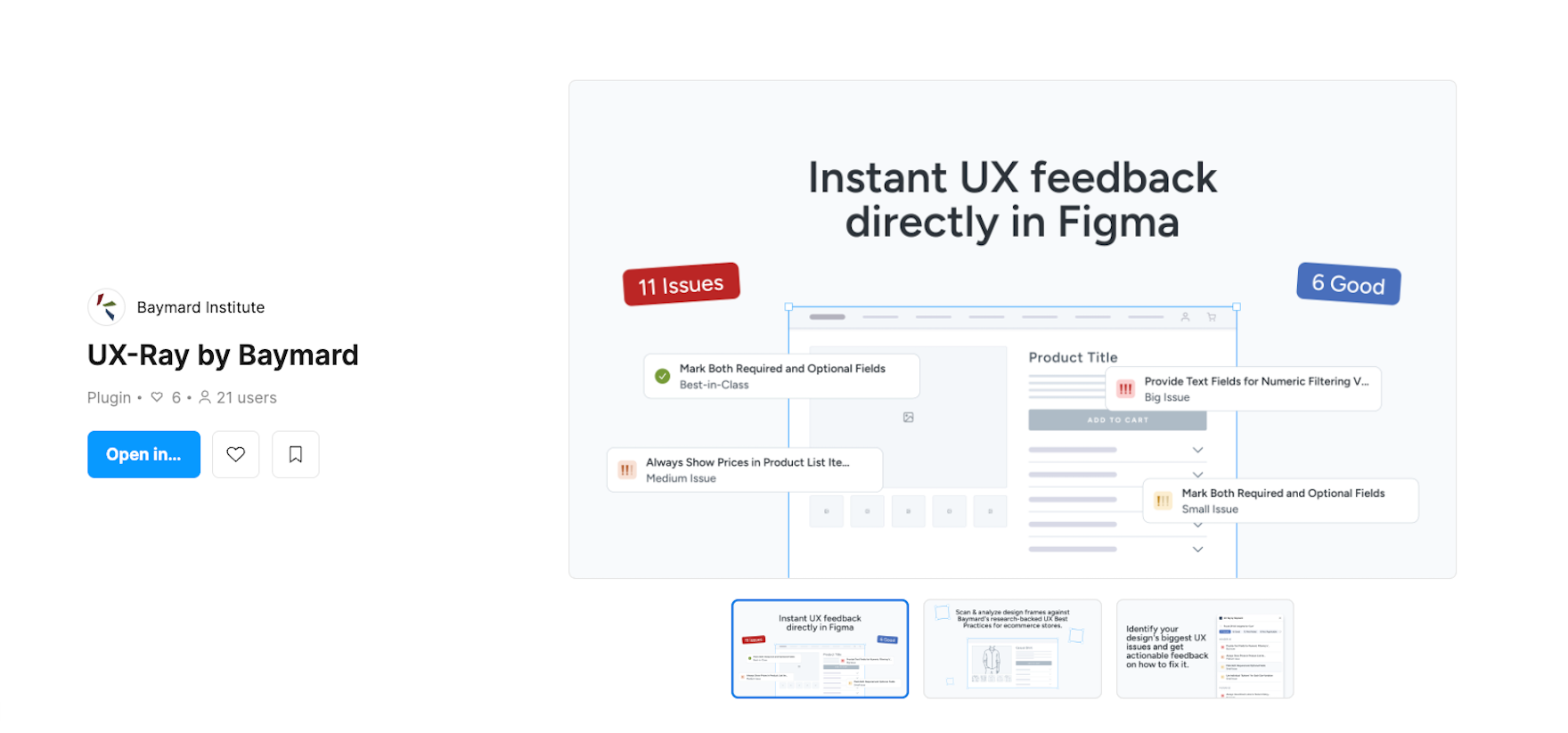
UX-Ray for Figma by Baymard helps you identify UX issues directly where you work.
Ecommerce UX/UI designers are expected to ship high-converting user experiences at speed, often balancing work across multiple projects that range from full page overhauls to feature tweaks.
Without the time or resources for primary research, designers have to rely on their gut feeling when making design decisions.
This approach has its drawbacks:
- Slows production: Design approvals stall under subjective options and repeated feedback loops.
- Reduces certainty: Teams ship unvalidated designs without any evidence that they will actually improve conversions or user experiences.
For many designers, Figma is the place where they do most of their work, but gathering feedback and justifying designs can be challenging.
With Baymard’s UX-Ray Figma Plugin, UX/UI designers can bring objective, research-backed UX best practices for every design decision, right where they do their work.
Each UX insight is backed by Baymard’s 200K+ hours of large-scale user research across 40+ ecommerce industries, shifting the design process from intuition-based to evidence-backed.

Install UX-Ray on Figma for free or learn more about the plugin below.
Why You Should Use UX-Ray for Figma
With the native Figma UX plugin, designers can now eliminate the friction of guesswork, tool switching, and feedback loops.
1. Identify UX Issues in Designs
Scan your designs in Figma and get a prioritized list of issues to resolve.
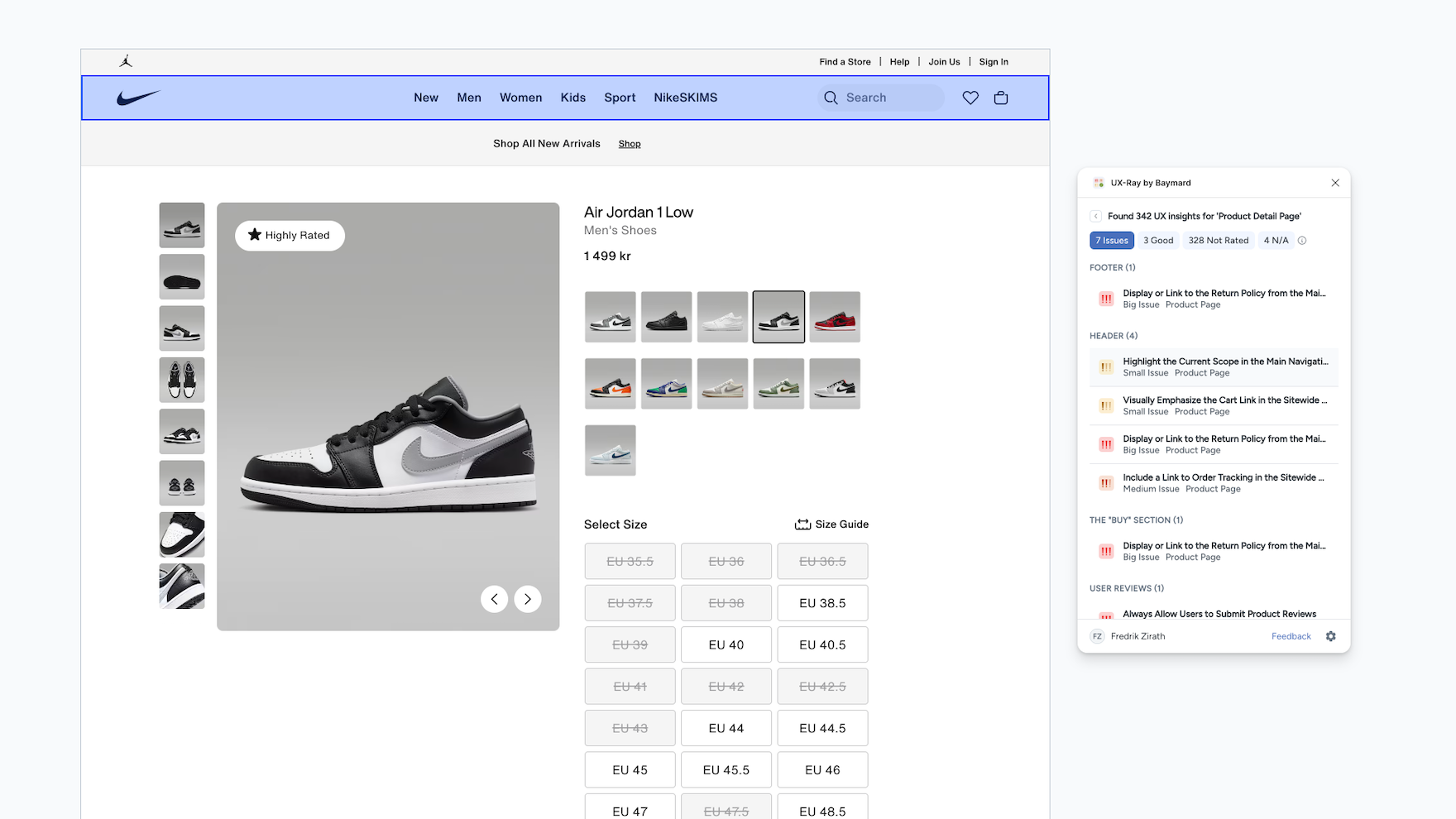
Scan your designs in Figma and get a prioritized list of issues to resolve.
Ship designs confidently with the UX-Ray Figma plugin by scanning your frames and identifying critical usability issues that can hurt conversion and the user experience.
The UX issues identified are rated and prioritized by severity of impact on a user’s task completion.
You can read a detailed breakdown of the ratings and what they mean below.
2. Secure Faster Stakeholder Buy-in
Validate every design decision with detailed evidence and end subjective discussions.
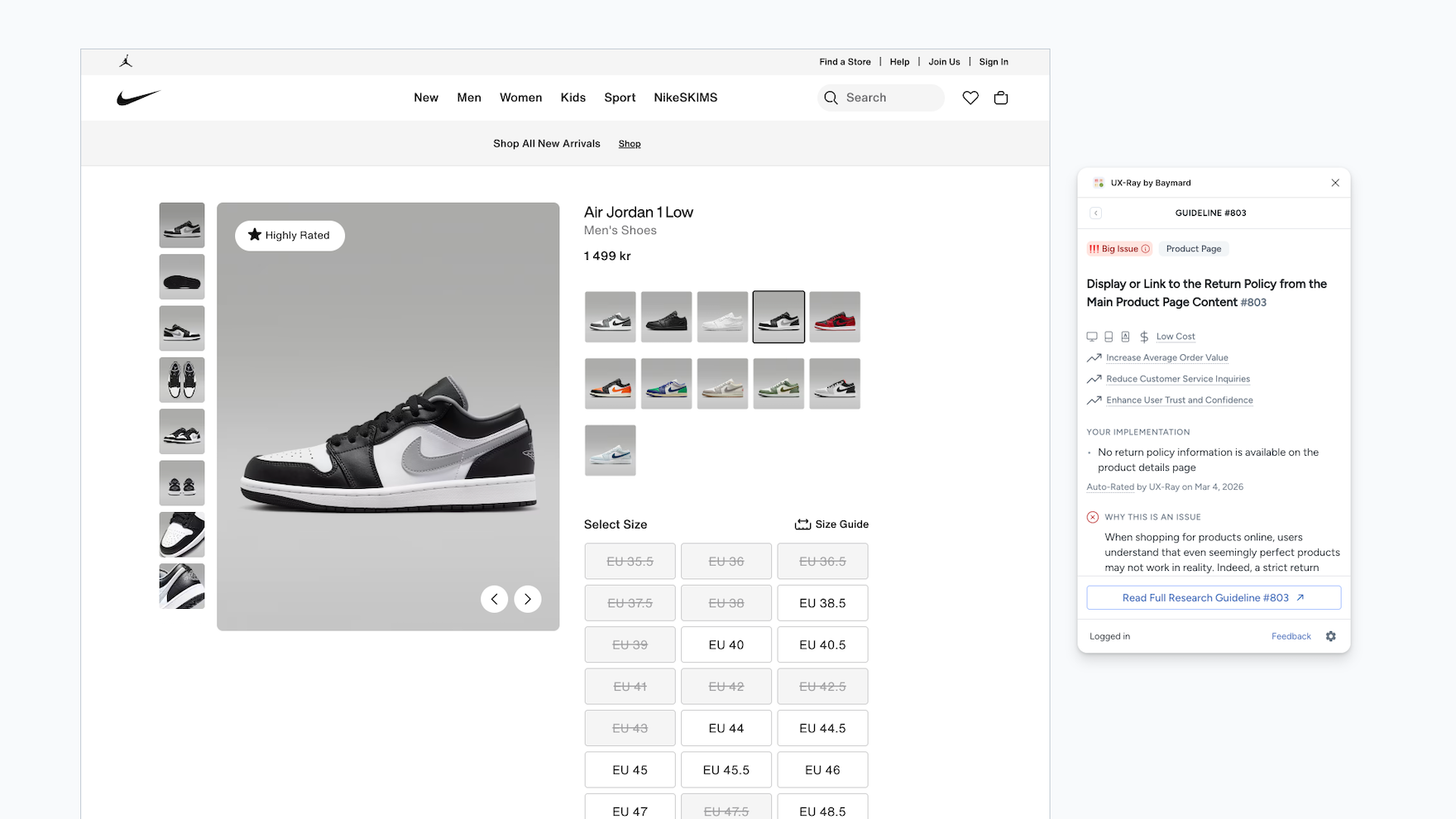
Validate every design decision with detailed evidence and end subjective discussions.
Shorten feedback loops and end subjective design discussions by backing every decision you make on any UI component to Baymard's objective UX best practices based on large-scale user research.
Simply put, provide stakeholders with the evidence they need to sign off on your designs.
3. Conduct Quick Competitor Analysis
Analyse competitors instantly to use them as inspiration, but also see where your site can get a head start.
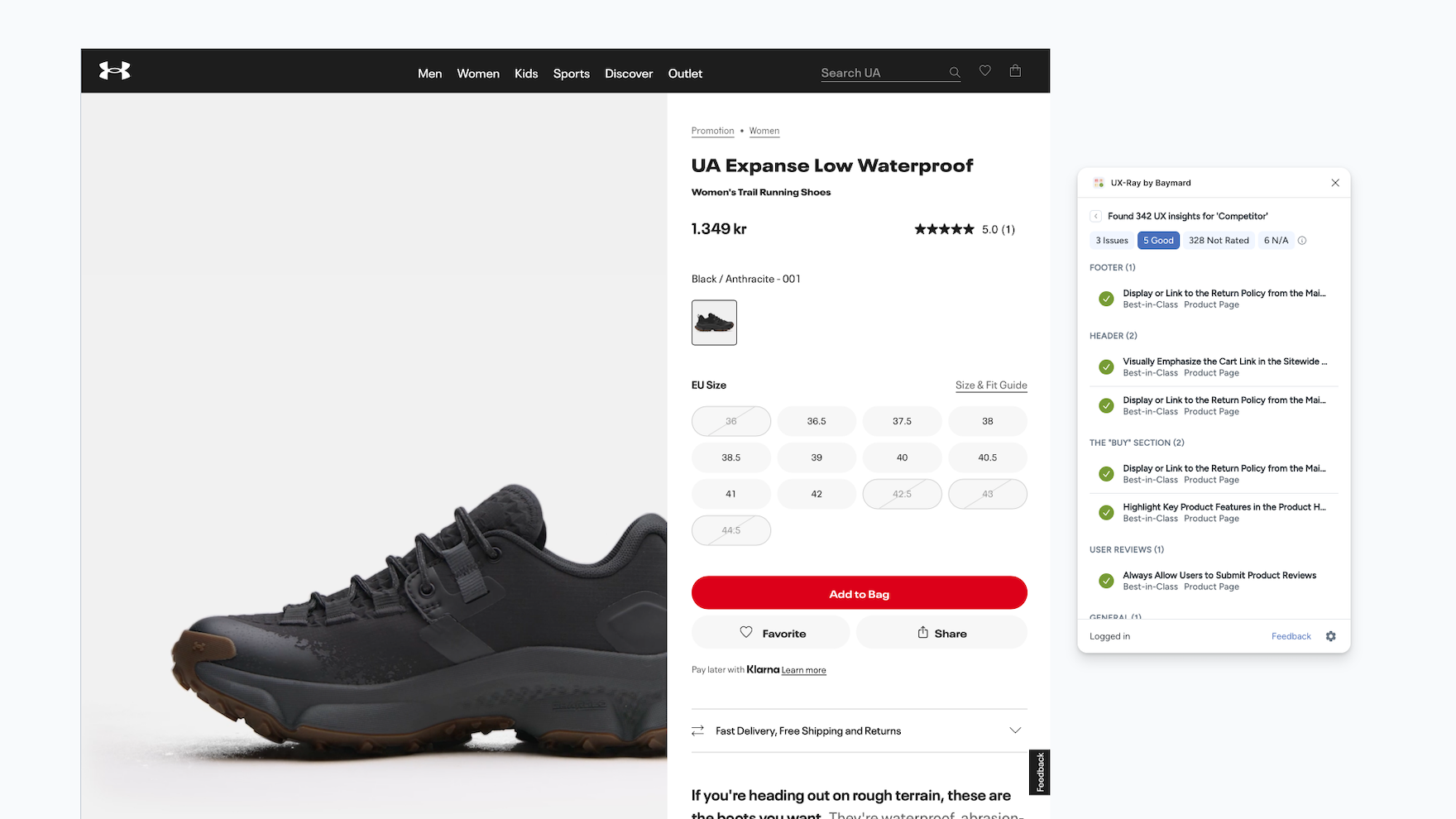
Analyse competitors instantly to use them as inspiration, but also see where your site can get a head start.
Discover the best-in-class designs from competitors and get inspiration from designs that are actually proven to convert.
Drop competitor screenshots and scan their designs to see what they do well and where they fall short.
How To Use UX-Ray To Instantly Spot & Fix UX Issues In Figma Designs
Step 1: Install the UX-Ray Figma plugin.
Step 2: Open your Figma desktop app and navigate to “Plugins” on the top nav bar, click UX-Ray by Baymard.
Step 3: Select a design frame and click scan.
Step 4: Browse through the list of UX insights.
Step 5: Click on a UX insight to see an explanation of each UI’s component implementation and how to fix it or why it’s good UX.
Step 6: For competitor analysis, add a screenshot of competitor pages, select the frame and click scan.
How to Interpret the Ratings
Identify your design’s biggest UX issues and get actionable feedback on how to fix it.
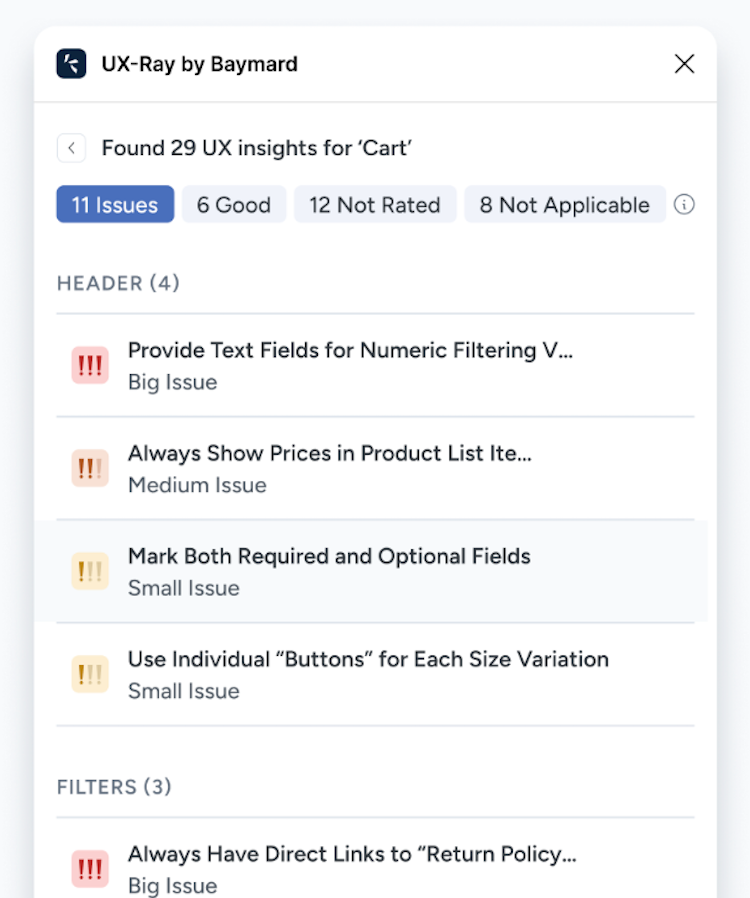
Identify your design’s biggest UX issues and get actionable feedback on how to fix it.
Each rating has a 95% accuracy rate when compared to Baymard’s human auditors.
We do not allow UX-Ray to publish ratings below the 95% threshold to ensure UX analysis and CRO suggestions do not harm conversions.
Below are the types of ratings you will receive based on the observed user behavior in Baymard’s large-scale testing:
“UX issues” are UX implementations identified that don’t align with Baymard’s research-backed UX Best Practice Guidelines.
We suggest taking action to change these implementations.
There are 4 types of UX issue ratings that vary in severity of observed user friction and task abandonment:
- Very Big Issue: Severe UX issue that leads to task or site abandonment for most to all users.
- Big Issue: Severe UX issue that leads to task or site abandonment for some to most users.
- Medium Issue: Moderate UX issue that needs troubleshooting from some to most users.
- Small Issue: Minor UX issue that briefly interrupts users.
“Good” are UX implementations identified that follow Baymard’s UX Best Practice Guidelines; we suggest keeping these UX implementations as they enable users to complete tasks and adhere to a user's expectations.
“Unrated” are UX Guidelines that we identified as relevant to your design but have not been automatically rated by UX-Ray.
We suggest manually reviewing these insights and implementing the recommended best practice.
“Not Applicable” are UX Best Practice Guidelines we have that do not apply to the specific scanned design frame.

Install UX-Ray’s native Figma plugin to scan and analyze design frames against Baymard's UX insights database.
Instantly flag usability issues, analyze competitor screenshots, and link any UI component to validated UX best practices.
Now you can secure faster design approvals and shorten feedback loops by bringing evidence to avoid subjective design discussions.
Weekly UX Research, Insights, and Updates
Join 60,000+ UX professionals. Get the latest UX research, practical guides, and Baymard news delivered to your inbox every week.
Loading...