Credit Card IIN Ranges & Spacing Patterns
IIN ranges and spacing patterns for 20 credit card types, so you can implement card type auto-detection and card number auto-formatting in your checkout.
19%
of people abandon checkout they distrust the site with payment information
10%
of shoppers abandon a site if their card declines
During our checkout usability research we repeatedly observe the payment form to be one of the trickiest parts of the checkout process for users to complete. Luckily, there are a number of usability improvements that will improve the ease and accuracy of the user’s credit card entry.
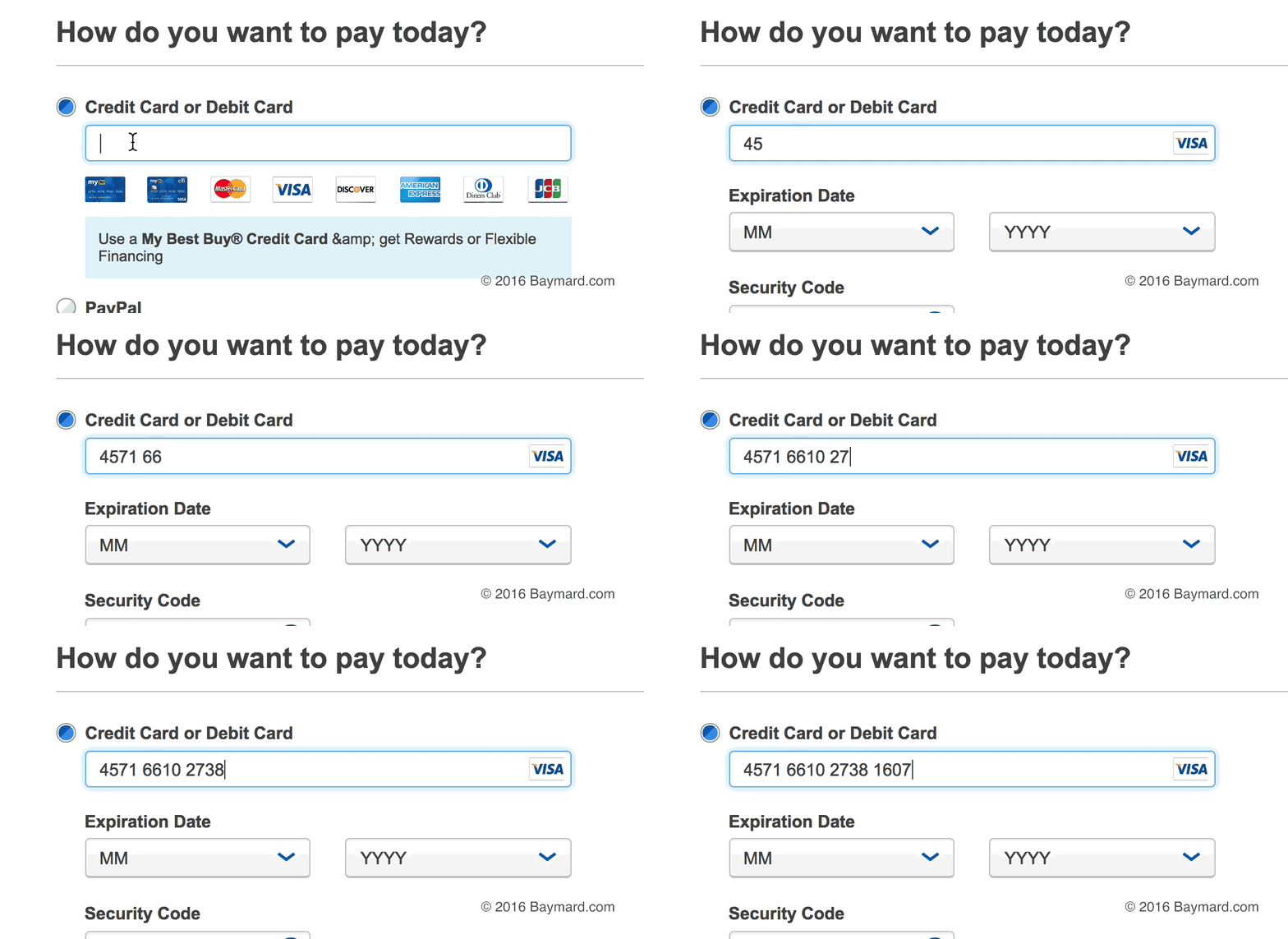
UX features such as card type auto-detection and card number auto-formatting can be implemented using the following list of IIN Ranges and Spacing Patterns.
For credit cards, some of the most important UX features include card type auto-detection and card number auto-formatting. However, to implement these features you need to know the IIN Ranges and Spacing Patterns of the card types that your site accepts, so we’ve gathered all this information on 20 different card types to create the below reference table.
Tip: below the table there’s more information on why these UX features are important to checkout usability and how you can go about implementing them.
| Card Type | Length | IIN Ranges | Spacing Patterns | Notes |
|---|---|---|---|---|
| Visa (incl. VPay) | 13-19 | 4 | #### #### #### #### (4-4-4-4) | Pattern not known for 13-15 and 17-19 digit cards. |
| Visa Electron | 16 | 4026, 417500, 4405, 4508, 4844, 4913, 4917 | #### #### #### #### (4-4-4-4) | |
| American Express | 15 | 34, 37 | #### ###### ##### (4-6-5) | |
| China UnionPay | 16-19 | 62 | #### #### #### #### (4-4-4-4) / ###### ############# (6-13) | Pattern not known for 17-18 digit cards. |
| MasterCard | 16 | 51‑55, 222100‑272099 | #### #### #### #### (4-4-4-4) | |
| Maestro | 12-19 | 500000‑509999, 560000‑589999, 600000‑699999 | #### #### ##### (4-4-5) / #### ###### ##### (4-6-5) / #### #### #### #### (4-4-4-4) / #### #### #### #### ### (4-4-4-4-3) | Pattern not known for 12, 14, 17, and 18 digit cards. |
| Diners Club Carte Blanche | 14 | 300‑305 | #### ###### #### (4-6-4) | |
| Diners Club International | 14 | 300‑305, 309, 36, 38‑39 | #### ###### #### (4-6-4) | |
| Diners Club United States & Canada | 16 | 54, 55 | #### #### #### #### (4-4-4-4) | |
| Discover | 16 | 6011, 622126‑622925, 644‑649, 65 | #### #### #### #### (4-4-4-4) | |
| JCB | 16 | 3528‑3589 | #### #### #### #### (4-4-4-4) | |
| UATP | 15 | 1 | #### ##### ###### (4-5-6) | |
| Dankort | 16 | 5019 | #### #### #### #### (4-4-4-4) | |
| InterPayment | 16-19 | 636 | #### #### #### #### (4-4-4-4) | Pattern not known for 17-19 digit cards. |
Retired Cards & Formats
These card types and/or formats are no longer issued and the cards will often be expired
| Card Type | Length | IIN Ranges | Spacing Patterns | Notes |
|---|---|---|---|---|
| MasterCard | 16 | 222100‑272099 | #### #### #### #### (4-4-4-4) | |
| Diners Club enRoute | 15 | 2014, 2149 | #### ####### #### (4-7-4) | |
| Solo | 16, 18, 19 | 6334, 6767 | #### #### #### #### (4-4-4-4) / #### #### #### #### ### (4-4-4-4-3) | Pattern not known for 18 digit cards. |
| Switch | 16, 18, 19 | 4903, 4905, 4911, 4936, 564182, 633110, 6333, 6759 | #### #### #### #### (4-4-4-4) | Pattern not known for 18-19 digit cards. |
| Laser | 16-19 | 6304, 6706, 6771, 6709 | #### #### #### #### (4-4-4-4) | Pattern not known for 17-19 digit cards. |
| Bankcard | 16 | 5610, 560221‑560225 | #### #### #### #### (4-4-4-4) |
Last updated: Jan 15, 2020 — with new IIN ranges for MasterCard. Suggestions for this reference table can be sent to info@baymard.com.
‘The Why’ – Credit Card Entry is Critical but Error-Prone
Our checkout usability research shows that it is difficult for users to enter their credit card information during the checkout process. One particularly tricky piece of credit card information is the card number, which is typically a non-sensical 16-digit long string where even a single typo will result in a card validation error.
Errors during the checkout process are generally problematic as they are likely to lead to cart abandonments, and card validation errors are even worse because users are particularly volatile when entering sensitive information such as their credit card data (for more on this, see our article How Users Perceive Security During the Checkout Flow).
Indeed, our quantitative customer research on why users abandon show that 19% of respondents abandon because they distrust the site with payment information, while card declines make up 10% (#GC050).
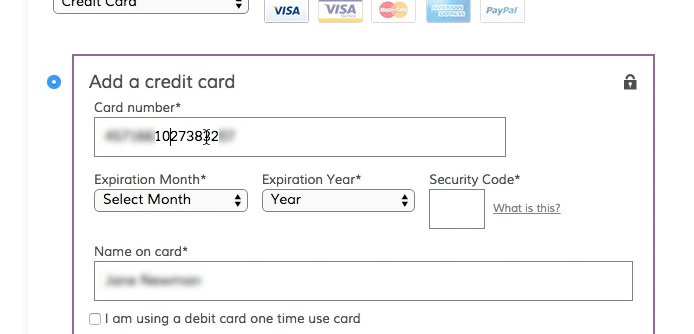
It is needlessly difficult for users to spot errors in a 16-digit long, unformatted string of numbers, compared to one that is broken into ‘chunks’ that match how the number is printed on the physical credit card. During our usability testing, we often observe users placing the mouse cursor at every 4th character in their input (i.e. where the spaces are on their physical card) as they attempted to validate the accuracy of their input.
Luckily, our usability research also shows that there are ways to help your users accurately transfer the information from their physical credit card to the virtual form fields in your checkout process. Indeed, one of the best ways to improve the accuracy of the user’s card number entry is to simply allow them to enter spaces in the card number field (i.e. no restrictions on input length or character types).
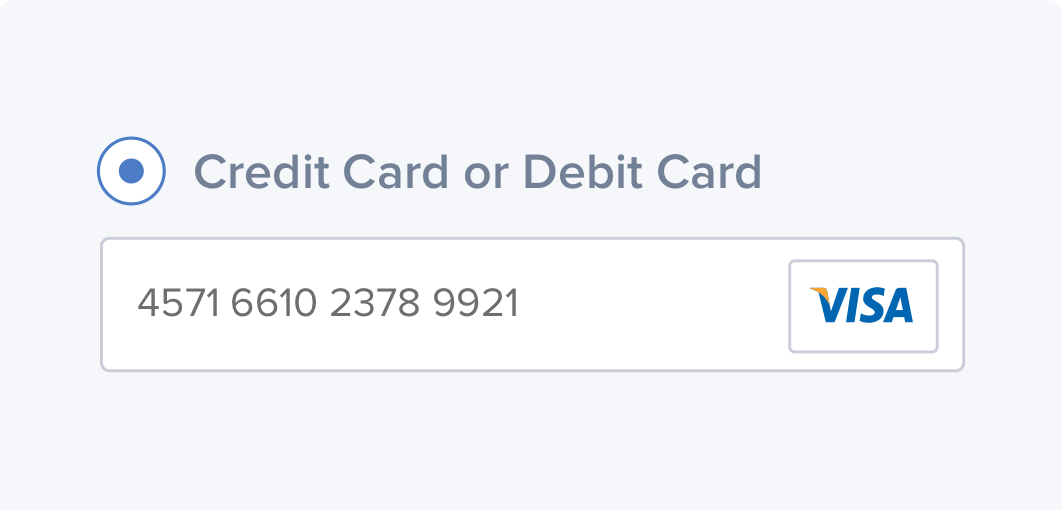
Yet for an even better implementation, you should actually go further and auto-format the user’s card number input with spaces to make the input match how the card numbers are printed on the physical credit card (for more on this, see our article The ‘Credit Card’ Field Must Allow and Auto-Format Spaces).
‘The How’ – IIN Ranges and Spacing Patterns
All card types have one or more IIN ranges, as listed in the table above. Take VISA cards, for instance, which always begin with the number ‘4’. This means that if the first digit the user enters into the card number field is the number ‘4’, then you know that they are entering a VISA card.
For one, this allows you to auto-select the card type on behalf of the user so they don’t have to worry about that, which in itself simplifies the payment form. But perhaps more importantly, you can make slight modifications to the rest of the payment form that improve the user experience and lower the risk of card validation errors (and thus, lower the rate of checkout abandonments).
For instance, you can customize the ‘Security Code’ help text to fit the card type. And now, knowing the user’s credit card type, you can also auto-format their card number input itself – as they are typing it – according to the Spacing Patterns of that card type.
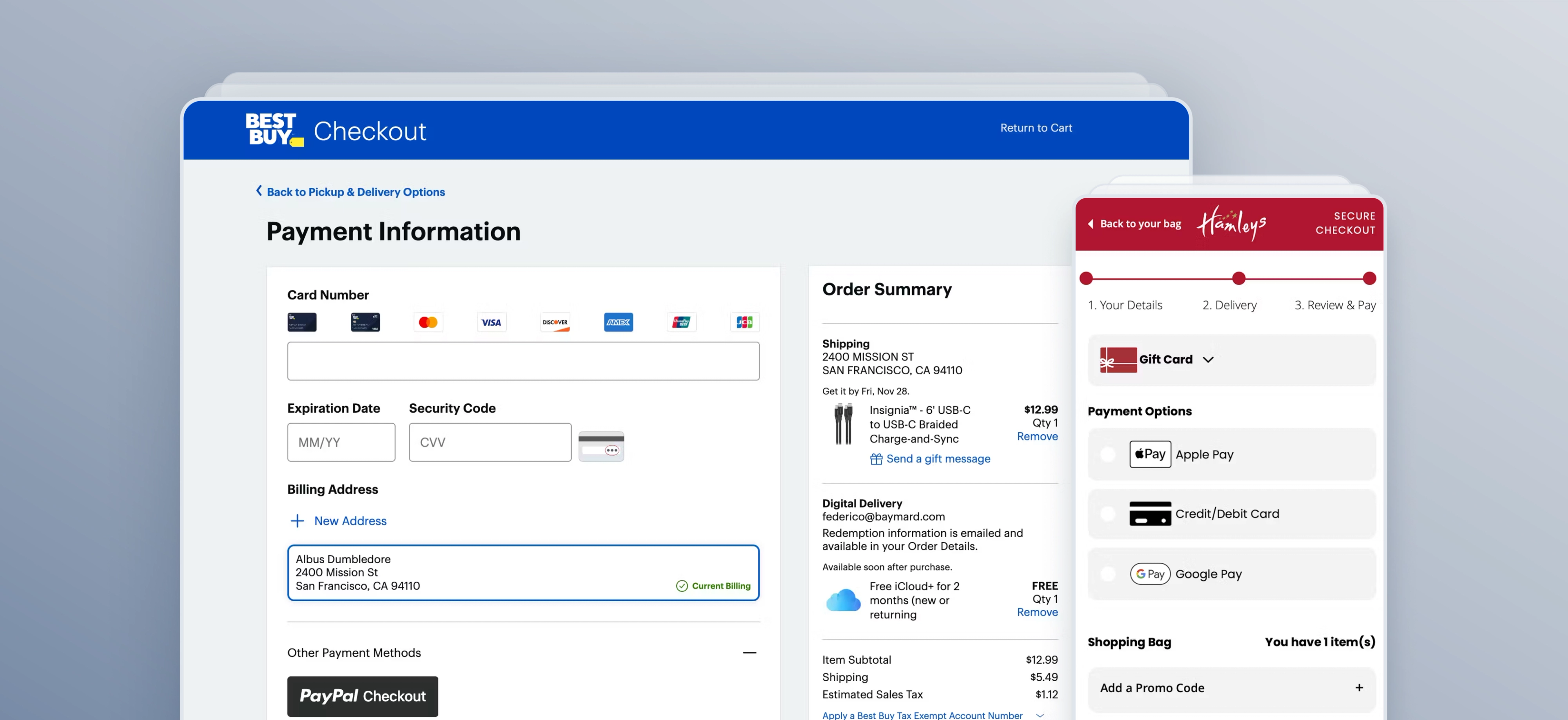
Notice how BestBuy auto-detects the card type (VISA) from the first few digits and then subsequently auto-format the credit card number with spaces as it is entered.
Using the information in the reference table above, you can thus auto-detect the user’s card type from the IIN Ranges. And once the card type has been detected, you can auto-format the user’s input with spaces according to the card type’s spacing pattern(s) (and length of the user’s input).
A note on Luhn validation: Luhn validation applies to all cards except some China UnionPay cards and the no longer active ‘Diners Club enRoute’ cards. For China UnionPay cards it is therefore critical not to use Luhn as a form validity check but rather as a mechanism to display warnings (for more on this, see our article Form Usability: Validations vs Warnings).
Weekly UX Research, Insights, and Updates
Join 60,000+ UX professionals. Get the latest UX research, practical guides, and Baymard news delivered to your inbox every week.
Loading...