UX Tips to Help Reduce Ecommerce Return Rates: Pre-Purchase Best Practices
How to slash return rates with pre-purchase UX best practices for imagery, descriptions, sizing, and delivery communication.
Key takeaways
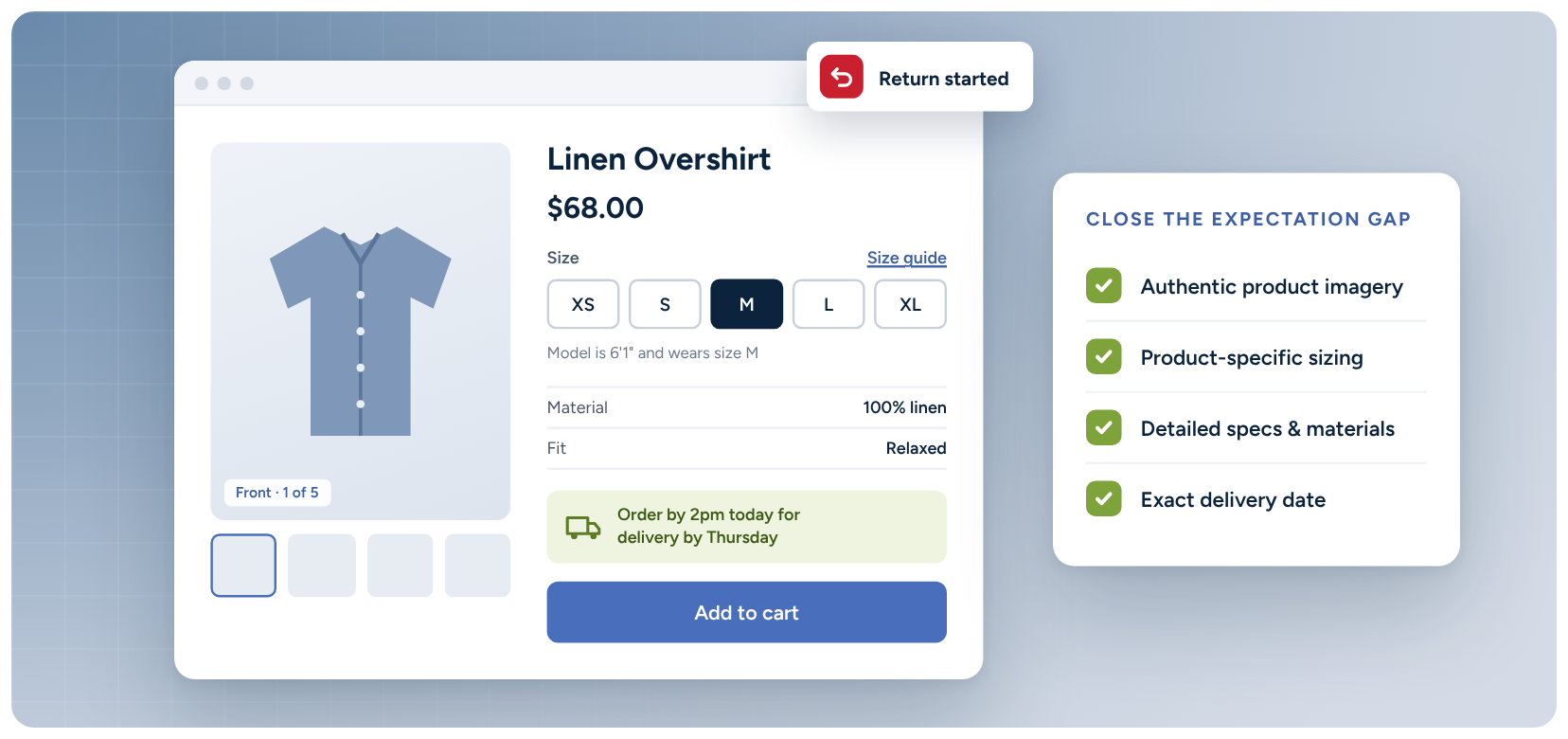
- Close the visual gap with authentic imagery
- Provide detailed, product-specific sizing and specs
- Communicate exact delivery dates upfront
52%
of shoppers returned at least one purchase in the last year
A customer orders a clothing item. It arrives, doesn’t fit, and they start a return.
Someone else buys a replacement part for an electronics item. It’s not compatible with their device, so they send it back.
These are typical ecommerce scenarios; after all, 52% of users say they've returned at least one item purchased online in the last year, reflecting that users see returns as a normal and even expected aspect of the online shopping process.
Of course, you’d like to reduce how frequently it happens. But often, it’s not a quality problem. The issue is consumer expectation, and it actually starts well before the delivery date.
Users return items when the reality doesn't match what they expected based on the product page.
This guide digs into why so many consumers return items, and how better ecommerce user experiences could help slash return rates.
Note: Here, we focus on the pre-purchase usability elements and touchpoints that impact returns, rather than organizational considerations like returns and refunds policies or post-purchase communications.
Optimize Your Ecommerce Order Flow with Research-Backed Insights
Maximize revenue by removing checkout friction. Learn research-backed strategies for improving your checkout UX and reducing abandonment.
Why returns start on the product page
Your product detail page (PDP) exists to sell. Its purpose is to provide the details consumers need to feel confident adding to their cart and buying. But it can have a secondary benefit: reducing how many of those orders end up being returned and refunded.
Baymard’s extensive ecommerce usability testing has found that three of the leading reasons for returns can be traced back to the PDP:
- The item was not as described
- It was the wrong size or fit
- The item looked different from the photo
Returns caused by logistics failures (e.g., product damage in transit, wrong item shipped) are outside of UX scope and represent a smaller proportion of total returns in most categories.
However, shopping categories with the highest return rates (like clothing and apparel, footwear, jewelry, electronics) can reduce the expectations gap with better product page UX.
62%
of sites have a “mediocre” or worse Product Page UX
Product imagery: close the visual gap
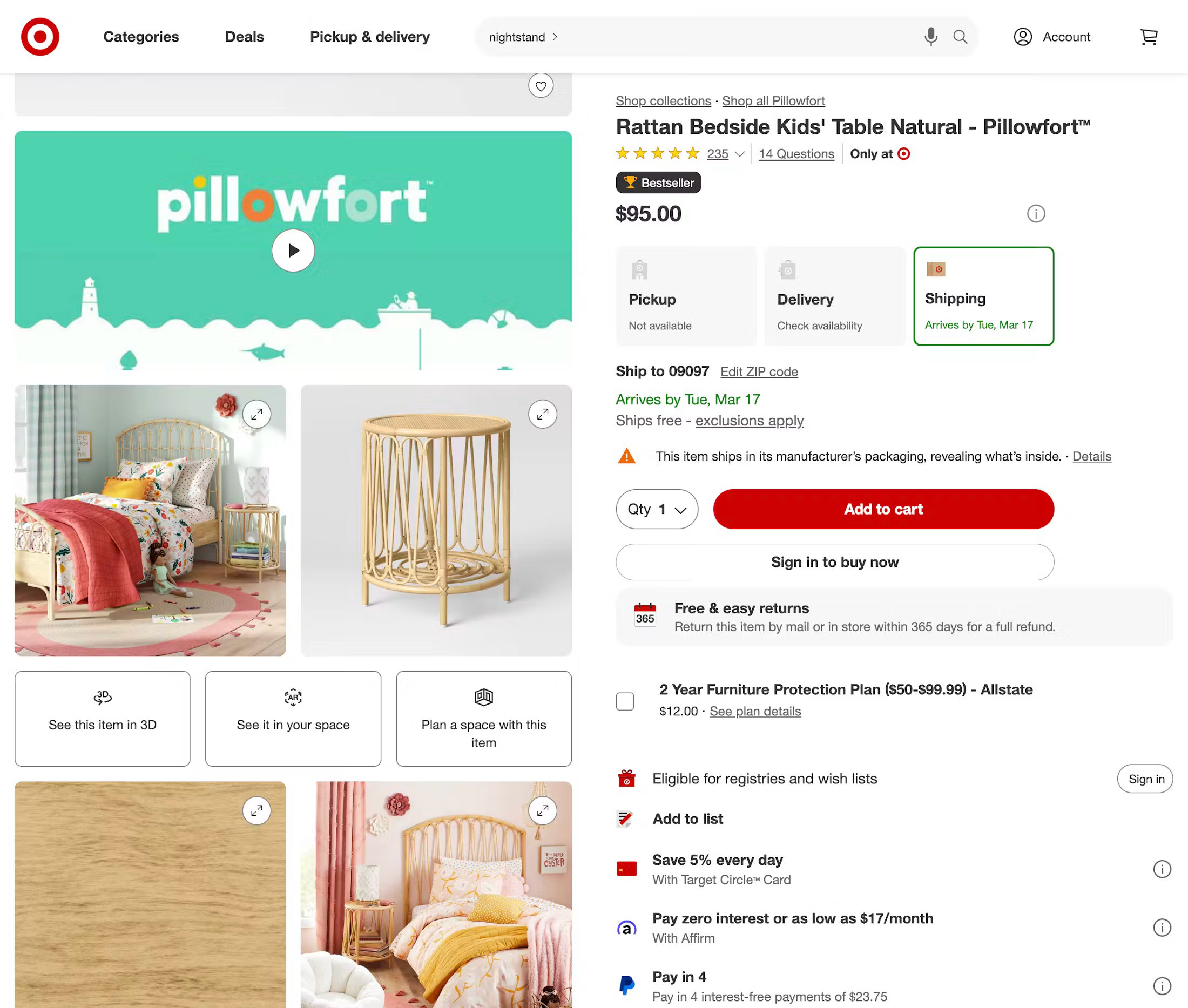
This product page at Target shows a rattan bedside table. The page is well designed because it shows the product as a standalone image, as well as in a lifestyle setting with the table set in a bedroom, so the user can evaluate its size and scale.
Visuals are important (and in the vast majority of cases, essential) for online consumers as they make their purchase decisions.
If your product images don’t accurately reflect the product your customer will receive, you leave yourself open to returns.
Here are some ways to improve your product imagery to ensure user expectations are met once the item is delivered:
- Show multiple angles and views, including front, back, and side views
- Show the product in context and at real scale, for example, furniture in a finished room, and clothing or cosmetics on a model
- Show texture, material, and finish clearly to emphasize how the product will look in-hand
“Products designed to be worn — apparel; accessories such as bags, jewelry, or watches; and cosmetics — require the context of a human model in order to get the truest sense of the product.”

Note: Use real product images, rather than AI-generated ones, to ensure the user buys and that the item meets expectations.
60%
of online shoppers say knowing a product image is AI-generated would negatively impact their purchasing confidence.
17%
would not feel at all confident to purchase.
Product descriptions: close the information gap
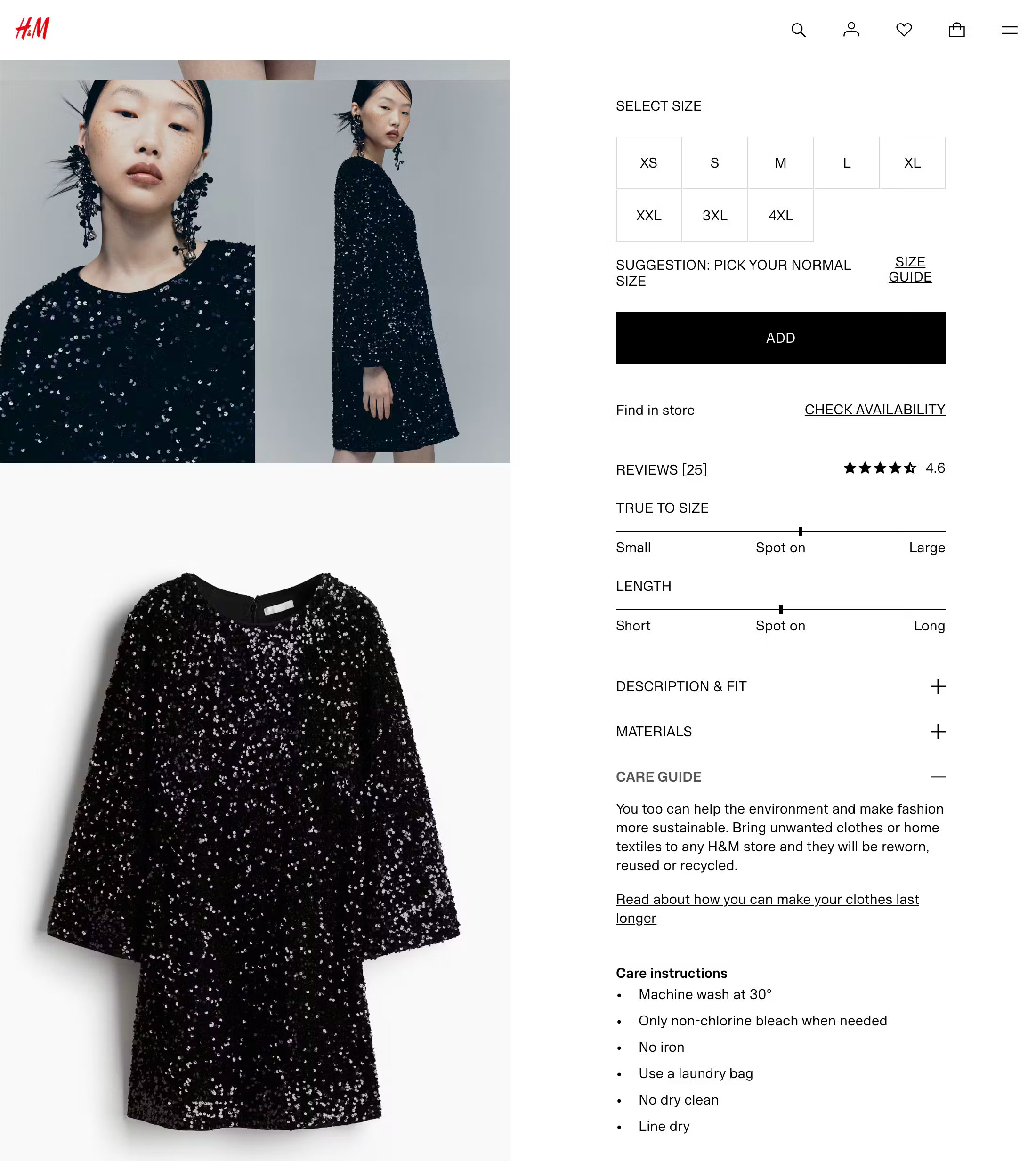
H&M’s product pages are information-rich, with clear sections to descripe the item, size and fit information, materials, and care guidance.
A product description should answer the questions a consumer would ask if they could handle the item in a store. If a user buys without those questions being answered, a return is more likely.
Describe the product as though there are no images; it should include enough information to make a decision without seeing it.
Here are the standards to follow for product descriptions that do their job:
- Cover essentials like materials, care information, dimensions, weight, what's included in the box, and any important limitations or compatibility requirements
- Front-load the most return-relevant information; e.g., size and fit notes for clothing, dimensions for furniture, compatibility for electronics
- Use structured specification tables for technical products; for electronics, appliances, and any product where specifications drive the purchase decision, a structured spec table reduces return-causing misunderstandings
Note: Detailed product descriptions and helpful spec sheets can help shopping agents and AI-powered ecommerce workflows to aid product discovery.
Provide accurate size, fit, and measurement information
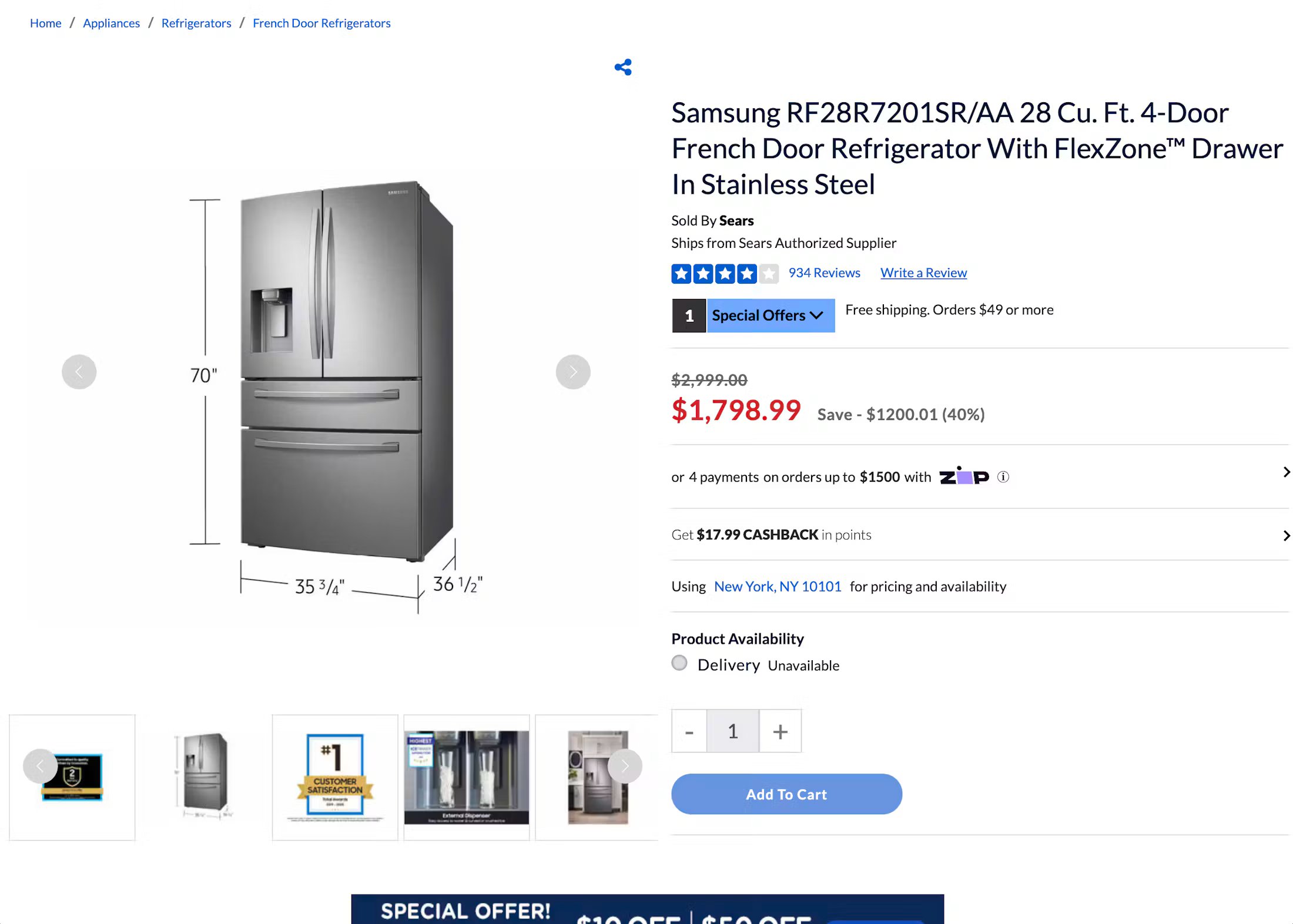
This refrigerator product page at Sears includes an image of the product with clearly labeled dimensions, providing essential information to the user as they consider their purchase.
Products that come in various shapes and sizes present a natural return risk. Fashion, footwear, and furniture all fall into this category.
58%
of apparel websites omit critical measurements from their size charts
An optimized product page can significantly reduce that risk.
To provide adequate information and reduce the likelihood of a return, follow these tips:
- Make size guides specific to each product, rather than using generic or category-wide guides; different items fit and measure differently
- Include model information for clothing, such as their height and body measurements, along with the item size they’re wearing
- For non-clothing products like furniture and home accessories, show dimensions in context with lifestyle imagery or diagrams with measurements
“A product that does not fit — whether it’s a t-shirt or an evening dress — will need to be returned, causing significant hassle and disappointment for the user and strain on the site’s customer support.”

Set delivery expectations up front
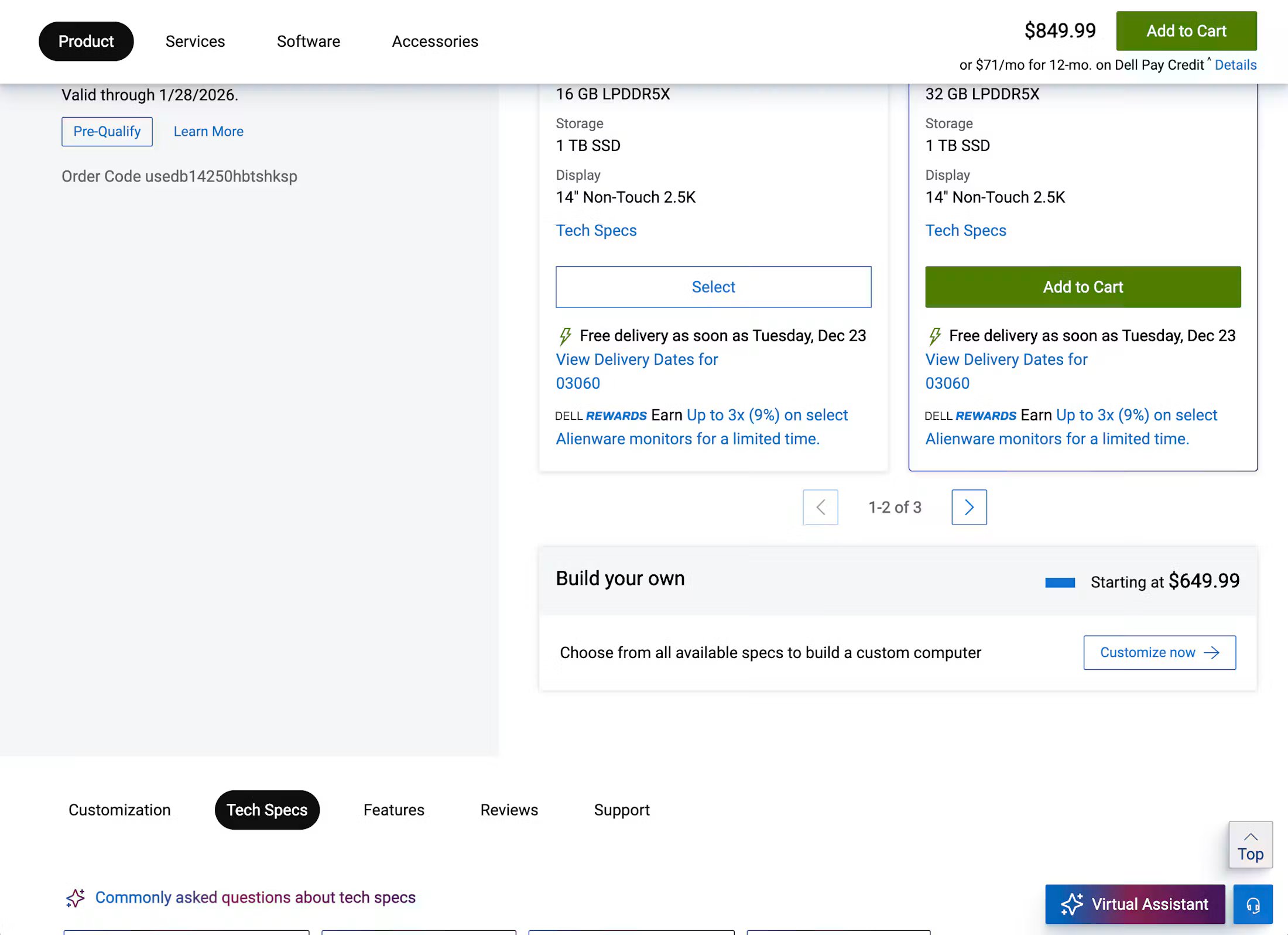
Dell’s product pages include an estimated delivery date on the product page, allowing users to easily understand when they can expect their item to arrive.
Some shipping issues are unavoidable, and things like delayed delivery fall outside of UX and into logistics. But including the correct shipping information – at the right times – on your website is essential for setting expectations and reducing the likelihood of a return because an item didn’t arrive in time.
Here’s how you can do it:
- Show delivery estimates on the product page, not just at checkout
- Make the delivery date estimate specific, not vague (e.g., “Order by 2pm today for delivery by Thursday” rather than “Estimated delivery 3–5 working days”)
- Distinguish between dispatch and delivery; “Ships within 24 hours” and “delivered within 24 hours” mean very different things — users who confuse them will return items that arrive later than they expected
Take care of your product page UX to reduce returns behavior
The UX decisions that reduce returns are almost entirely pre-purchase decisions. Most of them live on product pages — in imagery standards, description quality, size information, and delivery communication.
Getting these right means you can reduce your returns rate, and also delivery a more satisfying experience for your customers.
Ready to turn every UX decision into a revenue driver?
Baymard includes detailed research-backed standards on product page UX across imagery, descriptions, specifications, and size information — alongside benchmark data showing how 330+ leading ecommerce sites handle each of these decisions.
Weekly UX Research, Insights, and Updates
Join 60,000+ UX professionals. Get the latest UX research, practical guides, and Baymard news delivered to your inbox every week.
Loading...